The best Calendly alternatives, free and paid

Calendly booking page with a month calendar and open days

At a glance

The best Calendly alternative for most people is zcal. It gives you a booking page that reflects your brand, with unlimited booking links, calendars and meeting polls on the free plan. Developers should look at Cal.com, TidyCal suits anyone who'd rather pay once, and Google Calendar covers one simple booking page.

Calendly is a solid app, and for many people it's the default. But the free plan runs out fast: you get 1 event type and 1 connected calendar, so most people end up paying $10 or more per person every month. And the newest features, an AI notetaker and an AI email assistant called Callie, sit behind its paid "Plus" plans.

For each app below, you'll see what it does best, what your guests actually see, what it costs, its pros and cons, and when it's the better pick over Calendly.

Table of contents

Best Calendly alternative for each need

If you need Best choice Why
A free booking page that reflects your brand zcal A cover photo, welcome video and intro, with no cap on links, calendars or polls
Round robin for a small team on a budget zcal Round robin and a team page for $7 per user per month
Building scheduling into your own app Cal.com A scheduling API for developers
No monthly bill TidyCal A lifetime plan for $29, paid once
One simple page inside Google Calendar Google Calendar Built in, with nothing new to sign up for
One booking page with your logo YouCanBookMe Your logo and text on the free page
An occasional group poll Doodle A familiar voting page, if you accept ads
Guests who compare times with their own calendar SavvyCal Guests can overlay their calendar on your times
Selling sessions, packages or memberships Acuity Scheduling Packages, memberships and intake forms
A company that already pays for Microsoft 365 Microsoft Bookings Included in Microsoft 365 business plans

Calendly alternatives compared

App Free plan Booking links on the free plan Meeting polls Paid plans from
zcal Yes Unlimited Yes $7
Cal.com Yes, for 1 user Unlimited No $12 (teams)
TidyCal Yes Unlimited Yes $29 once
Google Calendar Yes 1 booking page No Google One Premium or Workspace
YouCanBookMe Yes 1 booking page Yes $8.10
Doodle Yes, with ads 1 booking page 1 group poll $11
SavvyCal Polls only None Yes $10
Acuity Scheduling No, 7-day trial None No $16
Microsoft Bookings No None No $7 (Microsoft 365)
Calendly Yes 1 event type Yes $10

Paid prices are per user per month. TidyCal's $29 is a one-time payment, and Acuity's prices are per account.

Why people look for a Calendly alternative

Calendly's free plan is fine if you only ever offer one kind of meeting. It even includes meeting polls and adds Zoom, Google Meet or Microsoft Teams links to your bookings (here's how Calendly works, if you're new to it). The moment you need more, you hit a wall:

  • 1 event type, so you can't offer a 15-minute call and a 30-minute call at the same time.
  • 1 connected calendar, so Calendly can't check your work and personal calendars together. That's how most double bookings happen.
  • No group events.
  • No automatic reminders.
  • No payments through Stripe or PayPal.
  • No Zapier, HubSpot or Mailchimp.
  • No redirect to your own page after someone books.
  • Calendly branding stays on your page.

Calendly booking page with a month calendar and open days

Lifting those limits starts at $10 per seat per month with Calendly Standard. Every person who hosts meetings needs a seat, so the bill grows with your team. And if you want round robin, which shares meetings across a team, you need Calendly Teams at $16 per seat. For a team of 5, that's $960 a year.

The 9 best Calendly alternatives

1. zcal

zcal is a free scheduling app for booking pages and meeting polls. Connect your Google, Outlook or Apple calendars, make a booking link for each kind of meeting, and share it wherever you like. Guests only ever see your open times, and when they book, zcal puts a Zoom, Google Meet or Microsoft Teams link in the invite.

The biggest difference from Calendly is design. A Calendly page shows your name and your logo, and that's about it. A zcal page is built to reflect your brand, with a large cover photo, a short welcome video and a personal intro next to the calendar. Guests get a feel for who they're meeting before the call even starts. The page is made for phones too, where many guests book.

The second difference is the free plan. Calendly Free stops at 1 event type and 1 calendar, while zcal puts no cap on either and adds meeting polls, group events and an automatic email reminder at no cost.

zcal booking page with a cover photo, a 30-minute intro call and a month calendar

What your guests see: the most personal page on this list. A large cover photo sits beside the meeting name, its length and its video link. Open days stand out on a month calendar, and guests can change the time zone or switch between am/pm and 24-hour times.

Key features

  • A booking page that reflects your brand. Add a cover photo, a welcome video and a short intro, so the page looks like your business and not like a form.
  • Unlimited booking links. Make a separate link for each kind of meeting, with its own length, location and questions. One link can also offer more than one length or location.
  • Meeting polls. Suggest several times, let guests vote, then pick the final time.
  • Group events. Several people can book the same time slot, which suits classes, webinars and office hours.
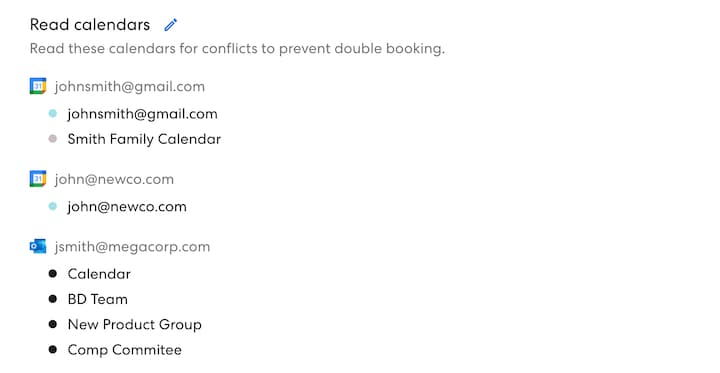
  • Calendar sync. Connect as many Google, Outlook and Apple calendars as you need, so zcal never offers a time when you are busy. Buffer time and minimum notice keep your day from filling up.
  • Payments and automation. Take payments with Stripe, embed your booking page on your website, and connect other apps with Zapier.

Pricing

The free plan puts no cap on booking links or calendars, and group events take up to 5 people per time slot. Pro costs $7 per user per month and adds round robin, collective events, a team page, SMS reminders, more email reminders, follow-up emails and your own branding. Business, at $12 per user per month, adds more teams and your own domain.

Pros

  • A cover photo, a welcome video and an intro make the booking page reflect your brand.
  • No cap on booking links or calendars on the free plan.
  • Meeting polls and group events are free, so one app covers 1-on-1 calls and group scheduling.
  • Round robin costs less than half of Calendly Teams.

Cons

  • Round robin and SMS reminders need Pro.
  • It can't import your Calendly event types, so you set them up again.
  • Group events on the free plan stop at 5 people per time slot.

When to choose zcal over Calendly

Pick zcal if you want a booking page that reflects your brand, more than one booking link or calendar without paying, or group polls alongside your 1-on-1 calls. It's also the cheaper route for a small team that needs round robin. Calendly only pulls ahead for a large sales team that routes leads from Salesforce forms to the right rep.

2. Cal.com

Cal.com started out as the open-source answer to Calendly. In April 2026 it moved to closed source, so most people now use the hosted version. If you're used to Calendly, you'll feel at home: the booking pages look and work much the same, and it can import your Calendly event types in one click.

For one person, Cal.com's free plan is generous, with no cap on event types or calendars. Team features start at $12 per user per month, compared with $16 for Calendly Teams. The catch is group scheduling: Cal.com has no meeting polls, so you'll need a second tool for that.

Cal.com booking page with a 30-minute intro call, a month calendar and time slots

What your guests see: a tidy page that looks a lot like Calendly's, with the meeting details on the left, a month calendar in the middle and the open times for the chosen day on the right. Guests can switch between 12-hour and 24-hour times, change the time zone, or flip to a week or column view.

Key features

  • Unlimited event types. Make as many event types as you need, each with its own length, questions and location. One event type can also offer several lengths, such as 15, 30 or 60 minutes.
  • Calendar sync and availability. Connect as many calendars as you need, so Cal.com checks them all for conflicts. You can set different hours and rules for each event type.
  • Locations. Meet on Zoom, Google Meet, the phone or in person, and Cal.com adds the details to the invite.
  • Booking controls. Ask your own booking questions, and review requests before you confirm them. Guests get links to reschedule or cancel.
  • Payments and CRM. Take payments with Stripe or PayPal when people book. Bookings sync both ways with Salesforce and HubSpot.
  • Apps and API. Connect more than 100 apps, and use the mobile app and the browser extension. Developers can build Cal.com into their own product with its API.

Pricing

The free plan is for 1 user, and Cal.com branding stays on your page. Teams costs $12 per user per month and adds round robin, collective and managed event types, recurring events, routing forms and booking analytics, and it removes the branding. Organizations, at $28 per user per month, adds sub-teams, a company subdomain and single sign-on.

Pros

  • Imports from Calendly in one click.
  • No cap on event types or calendars for one person.
  • An API for developers who want to build scheduling into their own product.

Cons

  • No meeting polls.
  • The free plan is for 1 user only.
  • Cal.com branding stays on the free plan.
  • No longer open source: hosting it yourself now takes an Enterprise deal.

When to choose Cal.com over Calendly

Go with Cal.com if you're a developer who wants to build scheduling into your own product. It's also a good fit for one person who wants lots of event types for free. If you need meeting polls or a free plan for a team, zcal is the better pick.

3. TidyCal

TidyCal is best known for its lifetime deal on AppSumo: pay $29 once instead of every month. There's also a free plan with unlimited booking types, and TidyCal can take paid bookings and sell packages of sessions.

Next to Calendly Free, TidyCal's free plan gives you more booking types. But it still connects only 1 calendar, and it won't create Zoom, Google Meet or Teams links for you. The $29 Individual Lifetime plan fills those gaps with video links, group bookings and up to 10 calendars.

TidyCal booking page with a 30-minute intro call and a month calendar

What your guests see: a plain, practical page. The host and meeting details sit on the left, and the right side holds a time zone menu, a "Show mutual availability" switch, a month calendar and the open times for the chosen day.

Key features

  • Unlimited booking types. Make as many booking types as you need, each with its own length and hours, and take unlimited bookings.
  • Paid bookings. Charge for a booking with Stripe or PayPal. You can also sell recurring bookings and packages, for example a set of 5 coaching sessions.
  • Date polls. Let a group vote on a date when you plan a meeting or an event.
  • Translation. Translate your booking page into other languages in one click, so guests can read it in their own language.
  • Booking limits and tracking. On the lifetime plans, set daily, weekly or monthly limits on bookings, and track visits with Google Analytics.
  • Lifetime plans. Pay once for a paid plan instead of every month. The $29 plan adds video links and group bookings, and the $79 plan adds team features.

Pricing

The free plan connects 1 calendar, doesn't create video links, and keeps the TidyCal branding. Individual Lifetime costs $29 once and adds Zoom, Google Meet and Teams links, group bookings, booking limits, custom emails and up to 10 calendars. Agency Lifetime, at $79 once, adds round robin, collective meetings, a team page and 10 SMS reminders a month in the US and Canada. Pro is $12 per month and removes the TidyCal branding.

Pros

  • The lifetime plans mean no monthly bill.
  • Unlimited booking types on the free plan.
  • Packages and recurring bookings for paid sessions.

Cons

  • The free plan doesn't create Zoom, Google Meet or Teams links, so you add them by hand.
  • Only 1 calendar on the free plan.
  • No group bookings on the free plan.

When to choose TidyCal over Calendly

TidyCal makes sense for a solo coach or consultant who wants to pay once and sell sessions or packages. If you'd rather not pay at all for video links, group events and more than 1 calendar, zcal's free plan includes all three.

4. Google Calendar appointment schedules

If you use Google Calendar, you already have a basic booking page, and you may not even know it. Appointment schedules let people book open times on your calendar, and Google can add a Google Meet link to each booking. There's nothing new to sign up for, and our guide shows how to set up an appointment schedule.

The free version is narrower than Calendly's, though. A personal Google account gets 1 booking page that checks 1 calendar for conflicts (unless you merge your Google calendars first) and sends no automatic reminders, and you set it up on a computer, not in the phone app. Google One Premium or a Google Workspace plan unlocks more booking pages, reminders and calendars.

Google Calendar appointment schedule with a week of open time slots

What your guests see: the familiar Google look, clear but bare: your name and photo, the meeting name and length at the top, a small month calendar on the left, and a week of time buttons on the right.

Key features

  • Built into Google Calendar. Bookings appear on your calendar right away, and your booking page shows your Google name and photo.
  • Availability rules. Set your weekly hours, with more than one time period on the same day. Change your hours for single dates such as holidays, and set how far ahead and how close to the meeting time people can book.
  • Booked meeting settings. Add buffer time between bookings, limit the number of bookings each day, and choose whether guests can invite other people.
  • Booking form. Ask for the guest's name and email, and add your own questions.
  • Locations. Meet on Google Meet, in person or by phone. Google creates the Meet link for you.
  • Reminders and payments on paid plans. With Google One Premium or Workspace, send up to 5 email reminders for each booking, but you can't change their text. With Workspace Individual or higher, take payments through Stripe.

Pricing

A personal Google account gets 1 booking page that checks 1 calendar, with no automatic reminders. For more booking pages, automatic email reminders or checks across more than one calendar, you need Google One Premium, Google AI Pro or a Google Workspace plan. Payments through Stripe and email checks against spam bookings need Workspace Individual or higher.

Pros

  • Nothing new to sign up for if you already use Google Calendar.
  • Google Meet links can be added for you.
  • Buffer time and daily limits on the free version.

Cons

  • Only 1 booking page on a free account.
  • No automatic reminders on the free version.
  • No meeting polls.

When to choose Google Calendar over Calendly

Stick with Google Calendar if one simple booking page is all you need and you already live in Google Calendar. When you want more than one kind of meeting, reminders or polls for free, zcal works with Google Calendar and adds all three.

5. YouCanBookMe

YouCanBookMe gives you one free booking page and lets you put your own logo and text on it. Two touches stand out: guests can overlay their own calendar on your times, and you can ask booking questions before each meeting.

The free plan is about the same size as Calendly's: 1 booking page and 1 calendar. From there, paid plans add pages and calendars in steps. Individual gives you 2 of each, and Professional gives you 10 booking pages and 6 calendars.

YouCanBookMe booking page with a 30-minute intro call and a month calendar

What your guests see: a page that does the job, with a "Powered by YouCanBookMe" bar at the top on the free plan, your logo and the meeting name on the left, and a month calendar with the open days circled. A handy "Overlay your availability" button lets guests check your times against their own calendar.

Key features

  • Branded booking page. Add your own logo and text to the free page. Paid plans add your own colors, a background image and a page footer.
  • Calendar overlay for guests. Guests can show their own calendar over your open times, so they see their conflicts while they pick.
  • Booking questions and emails. Ask custom questions, and edit the confirmation emails and texts that guests get.
  • Payments. Take payment when someone books, with Stripe, Apple Pay or Google Pay.
  • Easy changes. Guests get links to reschedule or cancel. You can also make single-use links and embed the page on your website.
  • Polls and extension. Poll a group for the best time, and book from Chrome with the browser extension.

Pricing

The free plan gives 1 booking page and 1 calendar. Individual is $8.10 per month for 2 booking pages and 2 calendars, with reminders that you can edit, group sessions, fixed-date events and password-protected pages. Professional is $11.70 per month for 10 booking pages and 6 calendars, with automated workflows, Zapier and HubSpot. Team is $16.20 per member per month.

Pros

  • Your logo and text on the free booking page.
  • Guests can overlay their own calendar on your times.
  • Many settings for how the page looks and works.

Cons

  • Only 1 booking page and 1 calendar on the free plan.
  • Reminders that you can edit, group sessions and fixed-date events need a paid plan.
  • Zapier needs the Professional plan.

When to choose YouCanBookMe over Calendly

YouCanBookMe is a good pick if one booking page with your own logo is enough and you like letting guests see their own calendar while they pick. If you need more than one page or reminders for free, zcal has you covered. Our full YouCanBookMe alternative comparison goes deeper.

6. Doodle

Doodle is the name most people think of for group polls: you suggest times, and everyone votes. Beyond polls, it also offers booking pages, 1:1 links and sign-up sheets. Here's how to create a Doodle poll, step by step.

Doodle's free plan is built around polls, but it caps them tightly: 1 group poll, 1 booking page and 1 one-to-one link, with a limited number of time slots in each poll. Free polls and pages also show ads to you and your guests, as you can see in the screenshot below. Doodle Pro removes them.

Doodle poll page with a Start voting box between 2 ad spaces

What your voters see: a busy page: a "Powered by Doodle" bar that invites them to make their own poll, ad spaces above and below the poll on the free plan, and a "Start voting" box. Voting is simple: click once for "Yes" or twice for "If need be", then type a name and email.

Key features

  • Group polls. Suggest times, and everyone votes on the ones that work. On Pro, you can set a deadline, hide who voted, and send the invite from Doodle when you pick the time.
  • Booking pages and 1:1 links. Share your open times for single meetings, with one link for each kind of meeting.
  • Sign-up sheets. Let people claim open slots, for example for shifts, lessons or parent meetings.
  • Calendar sync. Connect your calendars, so Doodle checks your busy times and adds booked meetings to your calendar.
  • Video links. Add Zoom, Google Meet, Microsoft Teams or Webex links to meetings.
  • Payments and questions. Take payments with Stripe and ask your own questions when people book.

Pricing

The free plan gives 1 group poll, 1 booking page and 1 one-to-one link, with a limited number of time slots in each poll, and you and your guests see ads. Pro, at $11 per user per month, removes the ads and adds unlimited polls and pages, deadlines and reminders, Zapier and your own logo. Team costs $16 per user per month, with 2 seats at least, and adds an admin console and co-hosts.

Pros

  • Many people already know how to vote in a Doodle poll.
  • Sign-up sheets on the free plan.
  • Video links for Zoom, Google Meet, Microsoft Teams and Webex.

Cons

  • The free plan shows ads to you and to everyone who votes.
  • Only 1 group poll, 1 booking page and 1 one-to-one link on the free plan.
  • No automatic reminders on the free plan.

When to choose Doodle over Calendly

Doodle still works if you run the odd group poll and nobody minds the ads. If you'd like polls with no ads and no cap, zcal includes meeting polls on its free plan. Our full Doodle alternative comparison has the details.

7. SavvyCal

SavvyCal is a paid scheduling app with a clever twist for guests: people who book can overlay their own calendar on your times, so they spot their conflicts while they pick. Both paid plans also include meeting polls, round robin and collective links.

Unlike Calendly, SavvyCal has no free plan for booking links. You can set up links and run meeting polls for free, but nobody can book until you pay. On the plus side, every plan includes unlimited links and calendars, and SavvyCal offers a 30-day money-back guarantee.

SavvyCal booking page with a 30-minute intro call and a week calendar

What your guests see: one of the smartest pages here for guests who live in their calendar. The meeting details and a small month calendar sit on the left, and a full week grid of your open and busy times on the right. Flip the "Overlay my calendar" switch at the top, and the guest's own calendar appears on the grid.

Key features

  • Calendar overlay. Guests can show their own calendar on top of your week, so they see their busy times while they pick.
  • Meeting polls and team links. Run meeting polls, and share round robin, collective and group links with your team.
  • Unlimited links and calendars. Connect as many calendars and make as many links as you need, on every paid plan.
  • Time protection. Block time for focused work, and limit how many meetings you take each day or week.
  • Automation. Send reminders and run workflows, and connect Zapier, your CRM, the API and webhooks.
  • Branding and sharing. Set your colors, photo and banner, embed your links on your website, and book from the browser extension.

Pricing

You can set up links and run meeting polls for free, but booking links need a paid plan. Basic costs $10 per user per month. Premium, at $17 per user per month, adds Stripe payments, your own domain and access for assistants, and it removes the SavvyCal branding.

Pros

  • Guests can overlay their own calendar on your times.
  • Round robin and meeting polls on every paid plan.
  • Tools to protect your time, such as time blocking and meeting limits.

Cons

  • No free booking links.
  • Payments and removing the branding need Premium.
  • Every person who shares links needs a paid seat.

When to choose SavvyCal over Calendly

SavvyCal suits you if you book lots of calls with other busy people and want them to see their own calendar while they pick a time. If you need booking links for free, zcal's free plan puts no cap on them.

8. Acuity Scheduling

Acuity Scheduling, owned by Squarespace, is built for service businesses such as salons, coaches, therapists and clinics. It handles the whole client side: clients pick from a list of appointment types, pay when they book, and fill in intake forms before the appointment.

Unlike Calendly, Acuity has no free plan, just a 7-day trial. Pricing is based on calendars (one for each staff member or location) rather than seats, and higher plans add text reminders, waitlists, packages, memberships and gift certificates.

Acuity Scheduling booking page with a list of appointment types

What your guests see: a page that reads more like a service menu than a calendar: your business name at the top, then a list of appointment types, each with its length, a short description and a Book button. Once guests pick one, a calendar of open times appears.

Key features

  • Unlimited services. List as many services and appointment types as you need, with unlimited appointments.
  • Payments and deposits. Take full payment or a deposit when clients book, through Stripe, Square, PayPal or Venmo.
  • Intake forms. Ask clients the questions you need before the appointment, and keep their answers with the booking.
  • Emails and time zones. Send confirmation, reminder and follow-up emails, and show each client the times in their own time zone.
  • Online meetings. Add Google Meet, Zoom or GoToMeeting links to online appointments.
  • Sales tools. From the Standard plan, sell packages, memberships, subscriptions and gift certificates, and keep a waitlist.

Pricing

There's no free plan, only a 7-day trial with no credit card. Starter costs $16 per month for 1 calendar. Standard, at $27 per month for up to 6 calendars, adds text reminders, packages, memberships, gift certificates and a waitlist. Premium costs $55 per month for up to 36 calendars and hides the Acuity logo on your page.

Pros

  • Payments and intake forms on every plan.
  • Packages, memberships and gift certificates from the Standard plan.
  • Prices per account, not per seat.

Cons

  • No free plan.
  • Text reminders need Standard.
  • Hiding the Acuity logo needs Premium.

When to choose Acuity Scheduling over Calendly

Acuity earns its price if you run a service business that sells sessions, packages or memberships and needs intake forms. If you mostly book meetings and calls, zcal does that for free.

9. Microsoft Bookings

Microsoft Bookings comes with Microsoft 365 business plans. It gives a company a booking page with its services and staff, and it adds a Microsoft Teams link to each online booking. If your company already pays for Microsoft 365, Bookings costs nothing extra.

You can't buy Bookings on its own, though, and there's no free plan. The cheapest way in is Microsoft 365 Business Basic.

Microsoft Bookings page with a 30-minute intro call, a month calendar and time slots

What your guests see: a no-frills, corporate page: your company name at the top, a card for the service with its price and length, then a date picker and the open times, with a form for the guest's details below.

Key features

  • Company booking page. List your services and the staff who provide them, with booking rules for each service, such as its length.
  • Outlook and Teams. Bookings works with Outlook calendars, so it doesn't offer a time when your staff are busy. It is also an app inside Teams and Outlook.
  • Online meetings. Each online booking gets its own Microsoft Teams link, and guests can join from a browser, by phone or in the Teams app.
  • Notifications. Send email and text notifications to cut no-shows.
  • Personal booking pages. Each person can also share their own booking page for their own meetings.

Pricing

There is no free plan. Bookings is included in Microsoft 365 business plans, from $7 per user per month with Business Basic.

Pros

  • No extra cost if your company already has Microsoft 365.
  • Works with Outlook and Microsoft Teams.
  • Built for teams that share services and staff.

Cons

  • No free plan for individuals.
  • Not sold on its own.
  • No meeting polls in Bookings. Outlook has a separate scheduling poll.

When to choose Microsoft Bookings over Calendly

Microsoft Bookings is an easy choice if your company already pays for Microsoft 365 and books customers with a shared team of staff. For a free booking page that works with Outlook and Teams, zcal connects to both.

Which Calendly alternative is right for you?

For a booking page that reflects your brand, choose zcal. Your cover photo, welcome video and intro greet every guest, and the free plan puts no cap on links, calendars or polls. When your team grows, Pro adds round robin for less than half the price of Calendly Teams.

For building scheduling into your own app, choose Cal.com. Its API is made for developers, and the free plan suits one person with many event types.

To pay once, choose TidyCal. The $29 lifetime plan is a good deal for a solo coach who sells sessions.

For one simple page, use Google Calendar. It's already built in, but a free account stops at 1 booking page.

For a company on Microsoft 365, use Microsoft Bookings, and for a service business, use Acuity Scheduling. Both cost money from day one, but each is made for exactly that kind of business.

Frequently asked questions

Is there a free alternative to Calendly?

Yes. zcal, Cal.com, Google Calendar, TidyCal, YouCanBookMe and Doodle all have free plans. Of these, zcal's free plan has the fewest limits, with unlimited booking links and calendars plus meeting polls, group events and email reminders.

Is Calendly free?

Calendly has a free plan, but it allows only 1 event type and 1 connected calendar, with no reminders and no group events. Most features need Standard, at $10 per seat per month. Read more in Is Calendly free?

How much does Calendly cost?

Calendly Standard costs $10 per seat per month, and Teams costs $16. Enterprise starts at $15,000 a year. See the full breakdown in Calendly pricing.

What is the best Calendly alternative for teams?

For a small team on a budget, zcal Pro gives you round robin and a team page for $7 per user per month. Calendly puts round robin on its Teams plan at $16 per seat, and Cal.com Teams costs $12. Cal.com's free plan is for 1 user only.

Is there an open-source Calendly alternative?

Yes, but it's harder than it used to be. Cal.com, the best-known one, moved to closed source in April 2026, and hosting the full product yourself now takes an Enterprise deal. Its free fork, Cal.diy, is still open source, but it drops teams, routing forms, workflows and single sign-on, and Cal.com recommends it for personal use only, not production. Self-hosting is real work, too: you run your own server and PostgreSQL database, set up your own Google Cloud project and sign-in keys before Google Calendar will sync, and handle every update, security patch and backup yourself. If you just want a free booking page, zcal gives you unlimited booking links and calendars with nothing to host.

Does Google Calendar have a Calendly alternative?

Yes. Google Calendar's appointment schedules let people book your open times. A personal Google account gets 1 booking page, with no automatic reminders. More pages and reminders need a Google One Premium or Google Workspace plan.

What is the Microsoft alternative to Calendly?

Microsoft Bookings. It comes with Microsoft 365 business plans, from $7 per user per month with Business Basic. For a free option, zcal connects to Outlook and Microsoft 365 calendars and adds Microsoft Teams links to your bookings.

Want a free booking page that reflects your brand?

Try zcal free

Make the switch to zcal

Get started for free