
Free availability form, online or printable
A free availability form that shows who can make each time, in one table. Skip the stack of paper sheets and the reply-all thread.
Create a free availability form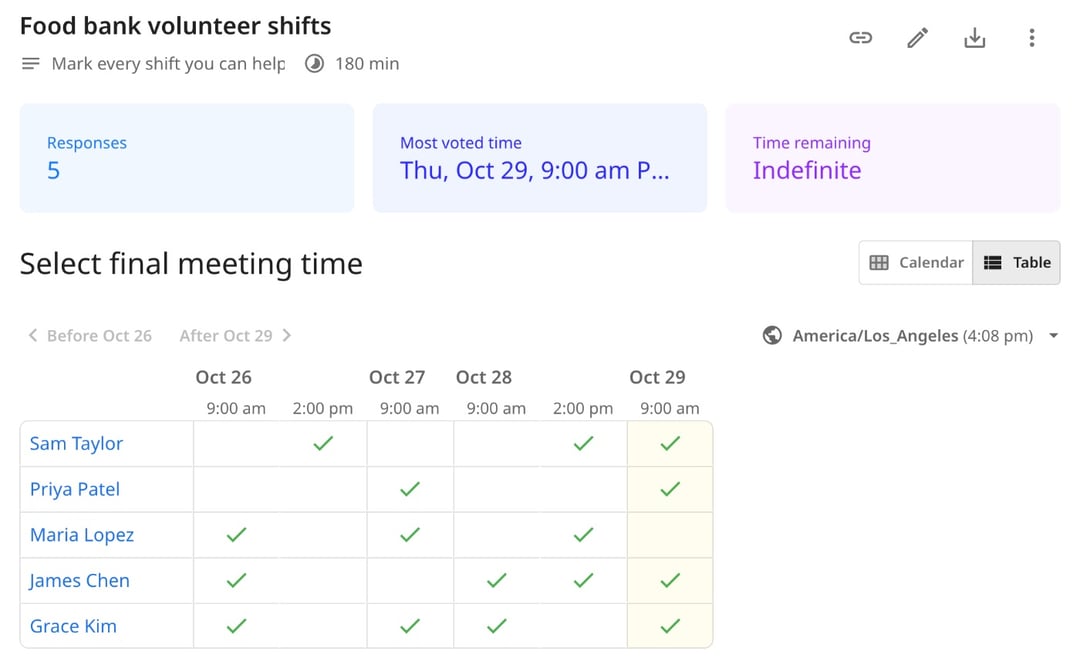
Trusted by leading brands, from fast-growing startups to large enterprises.








zcal is a free scheduling app, and its polls make a better availability form. You list the times or shifts, send one link, and each person marks the ones they can make. Their answers land in one table, so you can see who's free when at a glance. Prefer paper? Download the free printable sheet below.
Table of contents
How it works
1. List the times or shifts
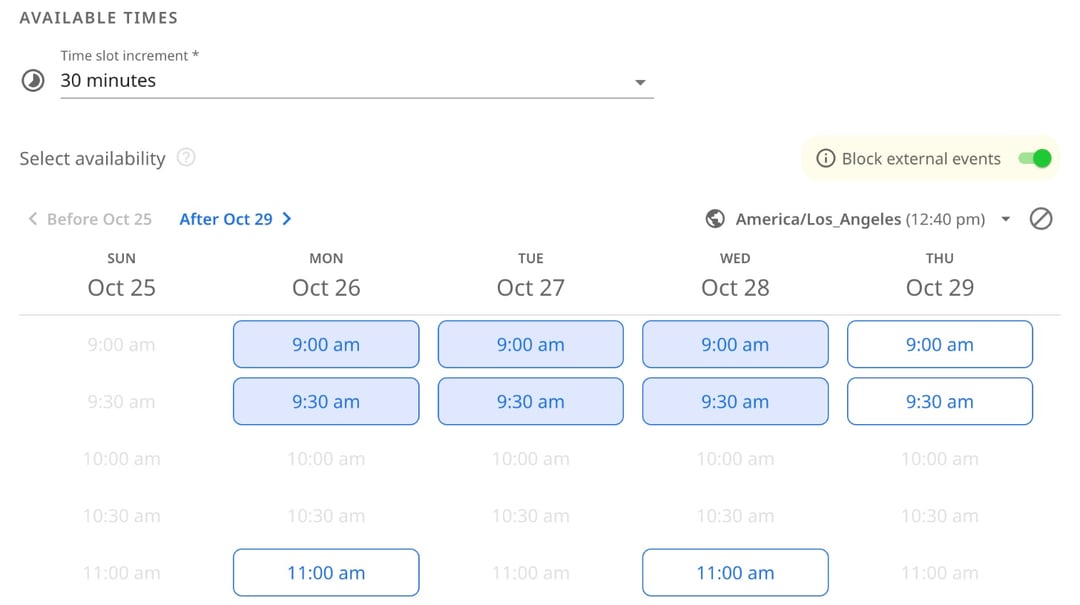
Pick the days and times you need to fill, from a few meeting slots to a full week of shifts. Need answers by Friday? Set a deadline, and the form closes on its own.
2. Share one link
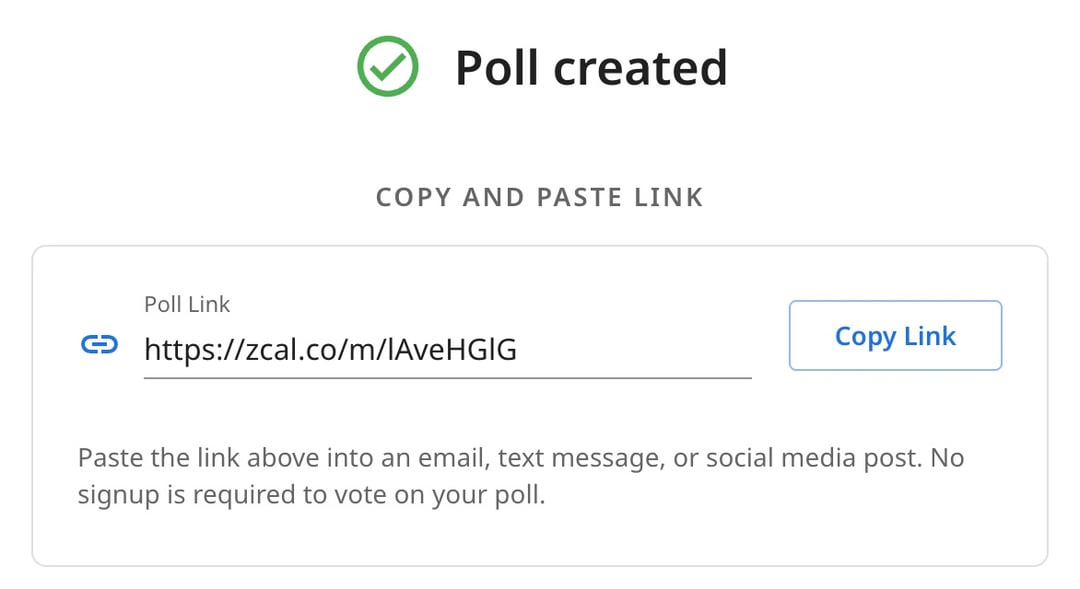
Send the link by email, text or group chat. Nobody needs an account or an app to answer: they open the link and add their name and email.
3. Everyone marks when they're free
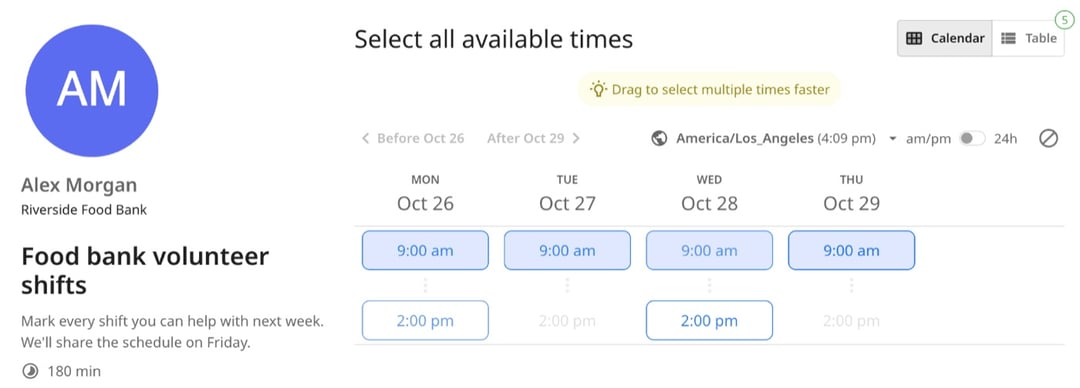
Each person taps every time they can make, or drags across several at once. They see the times in their own time zone, and you get an email each time someone answers.
4. See everyone's availability in one table
Every answer lines up in one table, with the time most people can make called out at the top. Download the answers as a CSV file for your spreadsheet, or pick a time and zcal sends the calendar invite to everyone.
Free printable availability sheet
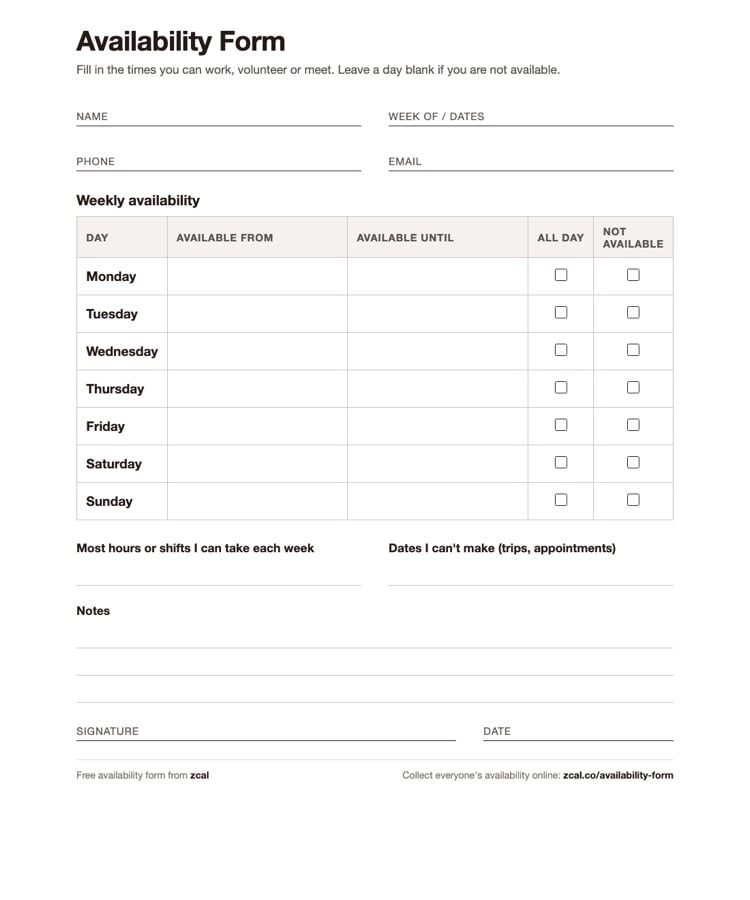
Some teams still run on paper, and some people would rather fill in a form by hand. Our free availability sheet is a one-page PDF that you can print, hand out and pin to the wall.
Download the free availability form (PDF)
What's on the sheet
- Name, phone, email and the dates it covers, so you know whose sheet it is and which week it's for.
- A weekly grid, Monday to Sunday, with "Available from" and "Available until" for each day, plus boxes for "All day" and "Not available".
- The most hours or shifts each person can take in a week.
- Dates they can't make, such as trips and appointments.
- Notes, a signature and a date, for anything the grid doesn't cover.
How to fill it in
Each person writes the hours they can start and finish for each day, and ticks a box for a day that's all free or all busy. Here's a filled-in example:
| Day | Available from | Available until | All day | Not available |
|---|---|---|---|---|
| Monday | 9:00 am | 1:00 pm | ||
| Tuesday | ✓ | |||
| Wednesday | 4:00 pm | 9:00 pm | ||
| Saturday | ✓ |
Then they add the most hours they can work, any dates they're away, and a note if something changes from week to week.
Paper sheet, Google Form or zcal?
A paper sheet works for a small team in one place. Once you collect answers from more than a handful of people, the hard part isn't asking. It's putting all the answers together.
| Paper sheet | Google Forms | zcal | |
|---|---|---|---|
| Cost | Free | Free | Free |
| How people answer | Write on a printed sheet | A checkbox grid you build yourself | Tap or drag across the times they can make |
| Seeing who's free when | You compare the sheets by hand | One row for each person in a spreadsheet | Everyone side by side in one table, with the top time called out |
| Time zones | No | No | Each person sees the times in their own time zone |
| Know who hasn't answered | Count the sheets | Check the responses | An email each time someone answers |
| Book the meeting | You send the invite | You send the invite | Pick the time, and zcal sends the invite |
Why use zcal as your availability form
Everyone's answers in one table
No more stack of sheets or a spreadsheet to merge. Each person's answers sit in one row, each time in one column, and the time most people can make is called out at the top. You see the gaps, and who can fill them, in seconds.
Nothing to sign up for
The people who answer don't make an account or download an app. They open your link, tap the times that work and type their name. The fewer steps, the more answers you get back.
Works on every phone
Most people open a link from a text or a group chat. The form is built for small screens, with big buttons to tap and times they can drag across.
Time zones, handled
Each person sees your times in their own time zone, so a team spread across cities never has to do the math. For shifts in one place, lock the form to your own time zone.
Your spreadsheet, if you want it
Download every answer as a CSV file and open it in Excel or Google Sheets. It's handy when you build a schedule in another tool.
Book the time when you're ready
If you're finding a time for one meeting, the form does that too. Pick the best time, and zcal adds it to your calendar and sends the invite to everyone who answered.
Free, with no ads
Make as many forms as you need, for as many people as you need. Nobody sees an ad: not you, and not the people who answer.
Who uses availability forms
Managers and shift leads
Collect next week's availability from the whole crew with one link, then build the schedule from one table instead of a pile of notes. Ask for the most hours each person can take in the same form.
Volunteer coordinators
Volunteers give their time for free, so make it easy to say yes. Share the shifts, see who can cover each one, and spot the gaps before the day.
Teachers and schools
Find a time for parent-teacher meetings, tutoring or a study group. Parents answer from their phone, with no account to make.
Clubs, teams and committees
Plan practices, rehearsals and board meetings around everyone's week, not just the loudest voices in the group chat.
Recruiters
Get an interview panel's availability in one place, then pick the slot that works for everyone and send the invite.
Tips for getting everyone's availability fast
- Set a deadline. "By Friday at noon" gets more answers than "when you get a chance".
- Offer real options. List the shifts or time slots you need, not "any time this week".
- Ask for limits up front. The most hours someone can take, and the dates they're away, save a round of follow-ups.
- Follow up once. zcal emails you as each answer comes in, so you know exactly who to nudge.
More ways to find a time
- Meeting polls. Let a group vote on the best time for one meeting.
- Sign-up sheets. Let people claim a time slot for themselves.
- Group scheduling. Every way to schedule with a group, in one place.
- Booking links. Share your open times, and let people book a slot with you.
Frequently asked questions
What is an availability form?
An availability form is a short form that asks people when they're free. Each person marks the days and times they can work, volunteer or meet, so whoever makes the schedule can see who's available when. It can be a printed sheet, a spreadsheet or an online form.
How do I make an availability form?
The quickest way is online. In zcal, list the times or shifts you need, share the link, and let each person mark the ones they can make. Their answers land in one table. For a paper form, download our free availability sheet and print one copy for each person.
Is there a free availability form template?
Yes. Our printable availability sheet is a free one-page PDF with a weekly grid, a box for the most hours or shifts someone can take, and space for dates they can't make. The online version in zcal is free too, with no limit on forms or answers.
How do I ask employees for their availability?
Ask everyone the same way, with the same deadline. Give each person a form with the shifts you need to fill, ask for the most hours they can work and any dates they're away, and collect the answers a week before the schedule is due. An online form saves you from typing up paper sheets.
Can I make an availability form in Google Forms?
Yes, with a checkbox grid: days as rows, times as columns. But Google Forms sends each answer to its own row in a spreadsheet, so you work out the overlap yourself. A zcal form shows everyone's availability side by side, with the time most people can make at the top.
How do I fill out an availability form?
For each day, write the first and last time you can start and finish, or tick "All day" or "Not available". Then add the most hours or shifts you can take and any dates you can't make. Be honest: a schedule built on times you can't really make helps no one.
Do people need an account to fill in a zcal availability form?
No. They open your link, mark the times that work and type their name and email. They don't sign up, log in or download an app. You need a free zcal account to make the form.
