
Free class scheduling software for instructors and studios
Students book a seat in your class from one link. Full classes close on their own and reminders go out for you, so you can just teach.
Create your class schedule free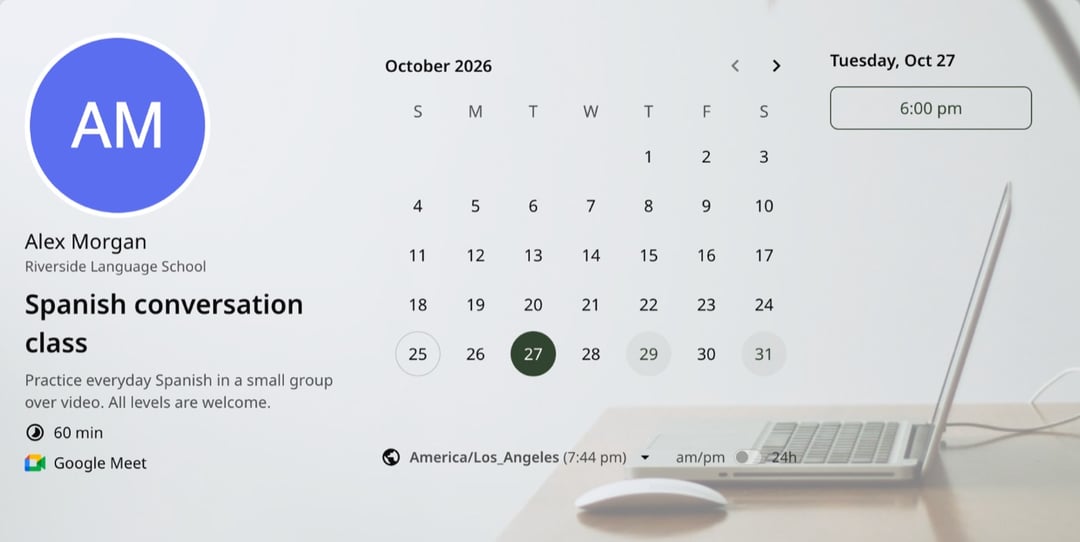
Trusted by leading brands, from fast-growing startups to large enterprises.








zcal is a free scheduling app, and its group links work as class booking software for fitness coaches, language teachers, art instructors and anyone else who teaches a group. You set the class times and the number of seats, share one link, and students book their own seat. Each one gets a calendar invite and a reminder, and you see who's coming in one list. No more booking classes by DM, text or email.
Table of contents
How it works
1. Set up the class
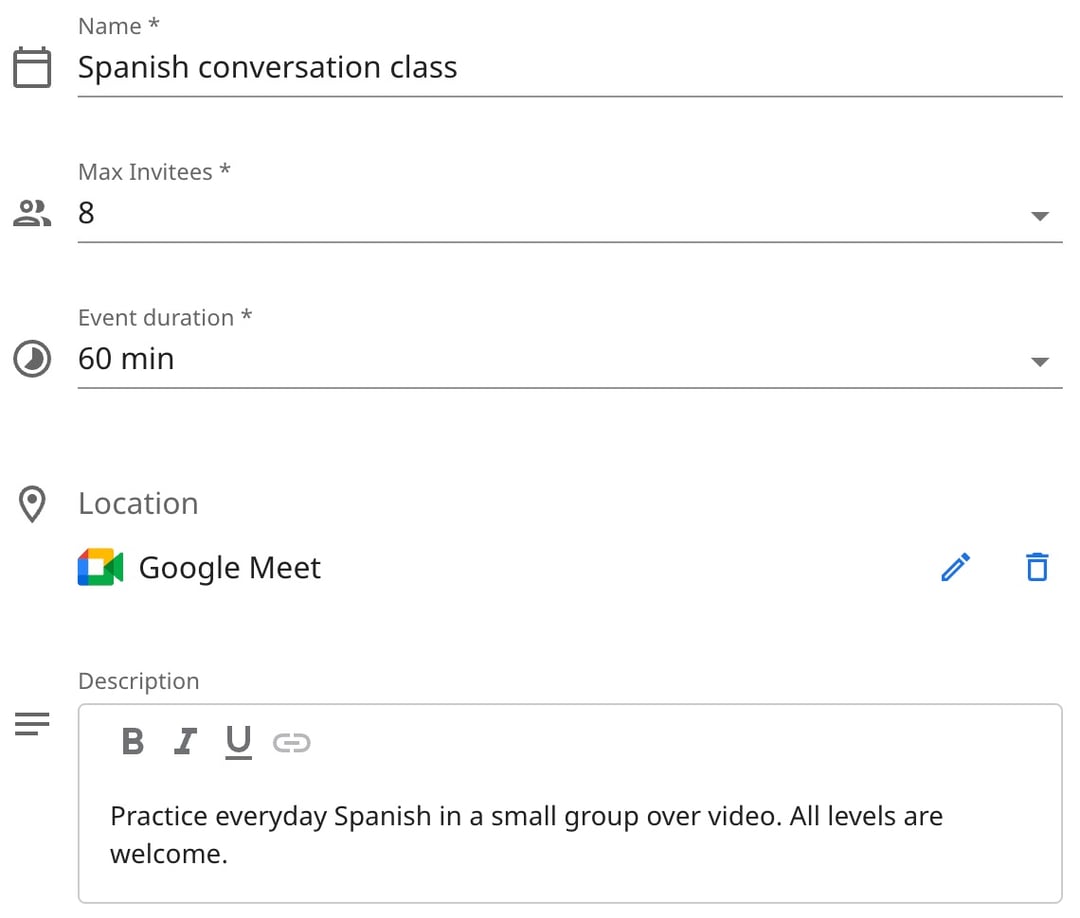
Name the class, set how long it runs and how many seats it has, and add the place or a video link. Add a short description too, such as what to bring.
2. Set your weekly timetable
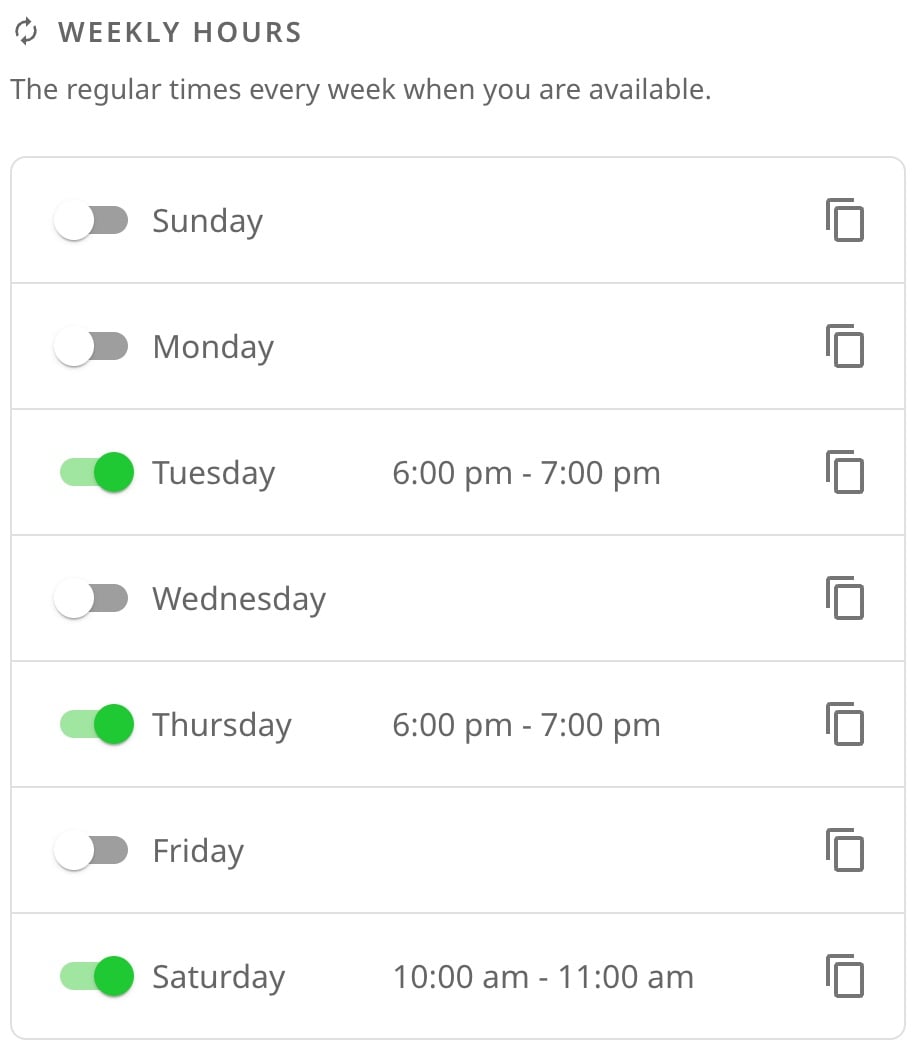
Pick the days and times the class runs, such as 6:00 pm on Tuesdays. The timetable repeats every week, and you can add one-off dates for a workshop or take a week off for the holidays.
3. Share one link
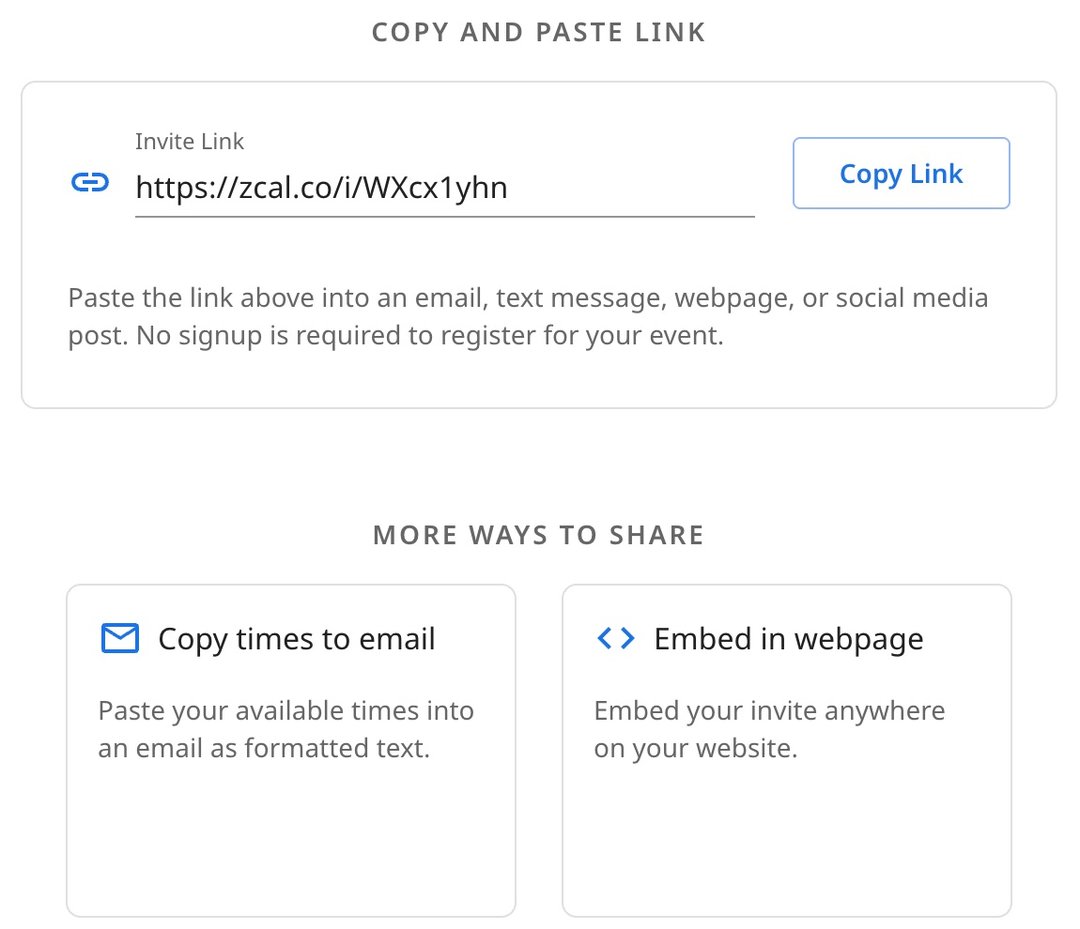
Put the link in your Instagram bio, your newsletter or your website, or embed the timetable right on your site. Students don't need an account to book.
4. Students book a seat
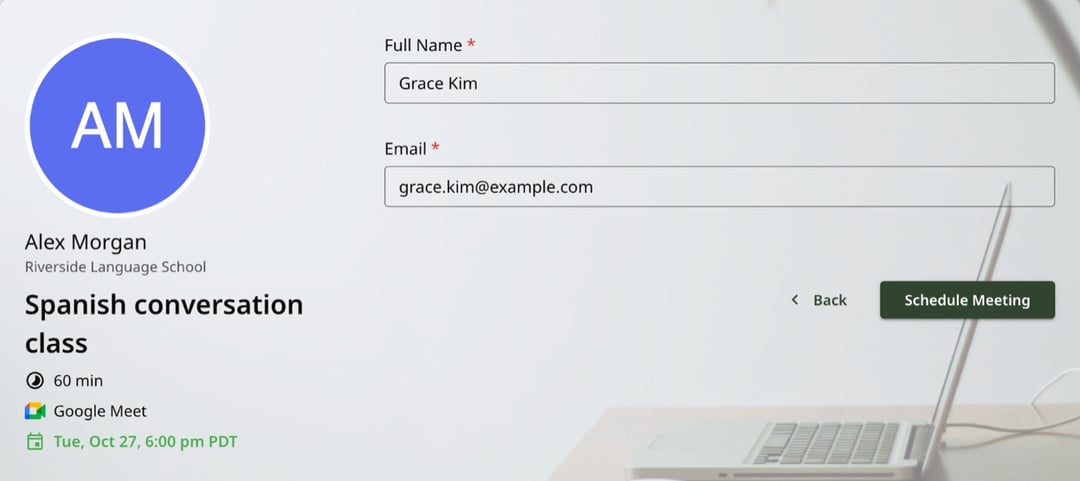
Each student picks a class and types their name and email. They get a calendar invite and a reminder before class, and when the last seat goes, the class drops off your page.
Classes you can run with zcal
Yoga and Pilates
Run your weekly flows and mat classes with a seat count that matches the room. Students book from your Instagram bio, and each one gets a reminder before class. See yoga scheduling with zcal.
Fitness classes and bootcamps
HIIT, spin, boxing and bootcamps. Cap each class at the number of bikes, bags or spots you have, so nobody turns up to a full room.
Art, music and cooking classes
Pottery nights, painting workshops, guitar groups and cooking classes. Take payment when students book, so every seat is a real commitment.
Language classes and study groups
Conversation groups and exam prep, in person or over video. Students anywhere in the world see the class in their own time zone.
Workshops and webinars
One-off sessions on the dates you choose. Add the date, set the seats, and share the link with your list.
Kids' classes and camps
Parents book a seat for their child from their phone, and the reminders go to them, so nobody forgets swim lessons.
Why instructors use zcal for class booking
Seat limits that run themselves
Set the number of seats once. zcal counts every booking, and the class leaves your page when it's full, so you never overbook a room.
A timetable you set once
Your weekly classes repeat on their own. Change a time or add a holiday break in one place, and your page updates right away.
No more booking by DM
Students book from one link at any hour. You stop answering "Is there space on Thursday?" and get your evenings back.
Reminders that fill the room
Every student gets a calendar invite and an email reminder before class. On Pro, add text reminders too, so fewer students forget.
Payment when they book
Connect Stripe and charge for each class when students book it. On Pro, sell class packs with promo codes that cover a set number of classes.
Online or in person
Teach in your studio, in a park or over video. For online classes, zcal adds a Zoom, Google Meet or Microsoft Teams link to every booking.
Your class list, ready
See who's booked for each class in your zcal events, and download the list as a CSV file for check-in or your records.
Is zcal right for your studio?
zcal is built for instructors and small studios whose students book one class at a time. You get seat limits, reminders, payments and a class list, free for classes of up to 5 and from $7 a month with no seat limit. A large gym that runs memberships, automatic billing and a front-desk check-in app needs a gym management system. For everyone else, zcal fills the room without the monthly bill.
Tips for a class schedule that fills up
- Put the link where students already are. Your Instagram bio, your website and the footer of your newsletter.
- Say who the class is for. "Beginner Spanish: no experience needed" fills faster than "Spanish class".
- Ask one useful question. Add a question to the booking form, such as experience level or injuries, so you can plan the class.
- Set a booking cutoff. A minimum notice of a few hours stops last-minute bookings that you can't plan for.
- Keep a seat or two for walk-ins. Set the seat count just under the size of the room.
More ways to schedule
- Group scheduling. Polls, group events and team links, side by side.
- Sign-up sheets. Volunteer shifts, conferences and other time slots.
- Booking pages. Private lessons and 1-on-1 sessions.
- Text reminders. Text students before class, so fewer of them miss it.
Frequently asked questions
What is class scheduling software?
Class scheduling software lets students see your class times and book a seat online, instead of messaging you. It counts the seats, sends the reminders and gives you the list of who's coming. zcal does all three for free, with no app for your students to download.
Is there free class scheduling software?
Yes. zcal's free plan lets you run as many classes as you like, with up to 5 students in each, plus calendar invites and email reminders. Pro, from $7 a month, removes the seat limit and adds text reminders and class packs.
How many students can book each class?
You choose the number of seats. On the free plan, each class takes up to 5 students. Pro and Business have no limit, so you can run a full studio class or a large webinar.
Can students pay when they book?
Yes. Connect Stripe, set a price for the class, and students pay when they book. On Pro, you can also sell class packs: a promo code that covers a set number of classes.
Can I run online classes?
Yes. Pick Zoom, Google Meet or Microsoft Teams as the location, and every student gets the class link in their calendar invite. Students see your class times in their own time zone.
Can students see who else is coming?
No. Students only see the classes that still have seats. You see every name and email in your zcal events, and you can download the list as a CSV file.
What happens when a student can't make it?
They cancel or reschedule from their calendar invite, and their seat opens up for someone else. You don't have to do a thing.
Do students need an account to book?
No. They open your link, pick a class and type their name and email. They don't sign up for zcal or download an app.
