
Collective scheduling for meetings with several hosts
Book one meeting with several people from your team, from one link. Clients only see times when every host is free, so nobody has to line up calendars.
Try collective scheduling free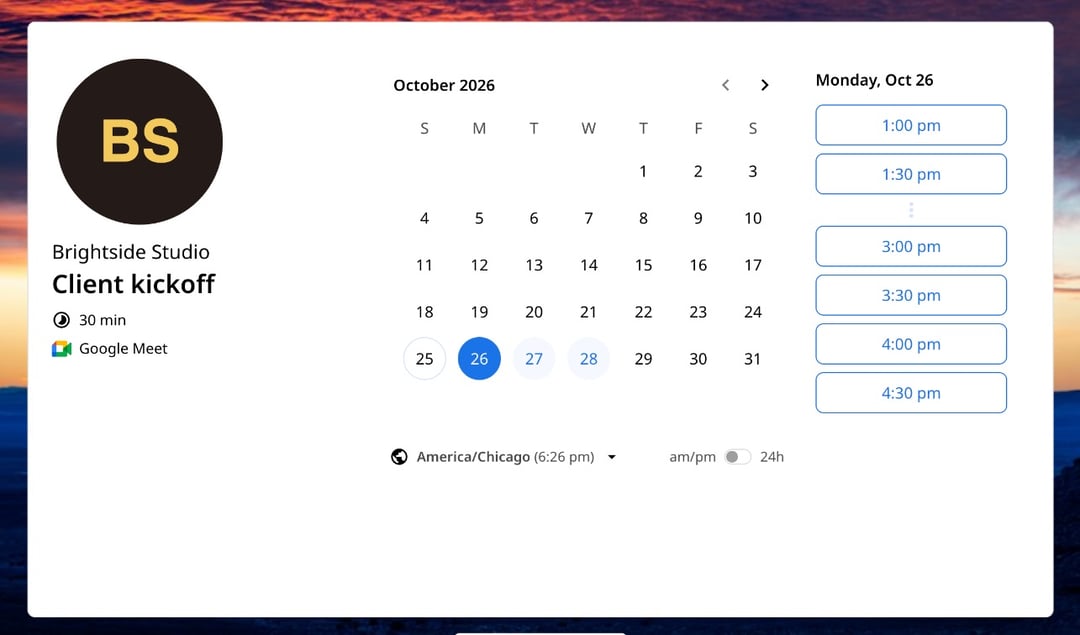
Trusted by leading brands, from fast-growing startups to large enterprises.






zcal is a scheduling app for people and teams, and its collective links book one meeting with several people from your team. zcal checks every host's calendar and shows clients only the times when all of them are free. When a client books, everyone gets the same calendar invite, with one video link. No more email thread to line up three calendars.
Table of contents
How it works
1. Add your team
Create a team in zcal and invite the people who join these meetings. Each person connects their own Google, Outlook or Apple calendar, so zcal always knows when they're busy.
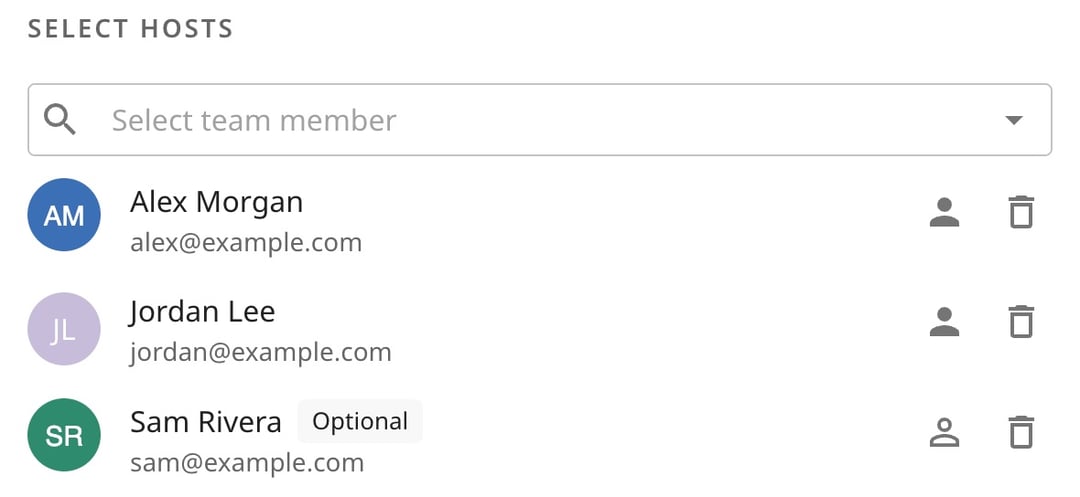
2. Pick the hosts
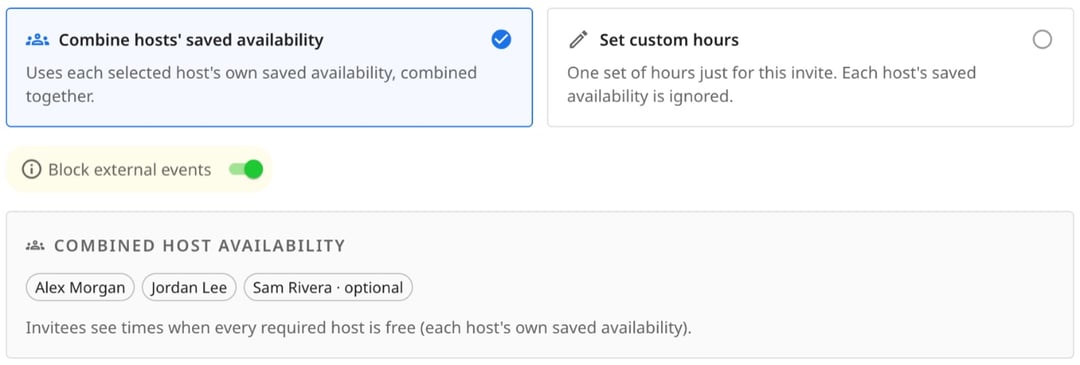
Choose who must be in every meeting. Anyone who should get the invite, but shouldn't block a time, can be an optional host.
3. Choose whose hours count
Combine each host's own working hours, or set one set of hours just for this link. Either way, zcal checks every required host's calendar before it shows a time.
4. Share the link, and everyone's booked
Put the link in an email, a proposal or your website. The client picks a time, and zcal sends one calendar invite to the client and every host, with the video link inside.
How zcal finds a time that works for everyone
Here's one afternoon on a kickoff link with three hosts. Alex and Jordan must be there, and Sam is optional.
| Time | Alex | Jordan | Sam (optional) | Can the client book it? |
|---|---|---|---|---|
| 1:00 pm | Free | Busy | Free | No. Jordan is busy |
| 2:00 pm | Free | Free | Busy | Yes. Sam is optional, so Sam's calendar doesn't count |
| 3:00 pm | Free | Free | Free | Yes |
| 4:00 pm | Busy | Free | Free | No. Alex is busy |
The client sees 2:00 pm and 3:00 pm, and nothing else. Whichever they pick, all three hosts get the invite, and Sam joins if they can.
Each required host you add is one more calendar that every time has to fit. So keep the list to the people who must be there, and make the rest optional.
Collective, round robin or group event?
All three put more than two people on one link, but they do different jobs:
- Collective: each meeting has several hosts, and clients only see the times when all of them are free. Use it for a kickoff call, a sales demo with a specialist, or an interview panel.
- Round robin: each meeting goes to one host from your team. Use it for sales demos, support calls and first interviews. See how round robin scheduling works.
- Group event: one host, many guests in the same time slot. Use it for classes, workshops and webinars.
See every way to schedule with more than one person in group scheduling.
Why use zcal for collective scheduling
No more calendar back-and-forth
Lining up three calendars by email can take days. With a collective link, the client picks a time in a minute, and it already works for everyone.
Every calendar, checked
Each host connects every Google, Outlook and Apple calendar they use. zcal checks all of them before it shows a time, so nobody is booked into a meeting they can't make.
Optional hosts
Invite the people who'd like to join without letting their calendars shrink your open times. They get the invite either way.
Your hours or theirs
Use each host's own working hours, or set one window just for this link, such as Tuesday and Thursday afternoons. The calendars still get checked.
One invite for everyone
The client and every host get the same calendar invite, with one Zoom, Google Meet or Microsoft Teams link. Everyone joins the same call.
Reminders that cut no-shows
Every booking gets email reminders, and on Pro you can text clients too. The more people in a meeting, the more one no-show costs.
Who uses collective events
Sales teams
Bring a solutions engineer to a demo, or a manager to a closing call. The prospect books once, and both of you are free.
Agencies and consultants
Book a kickoff with the account manager, the designer and the developer in one step, so the client meets the whole team from day one.
Recruiting teams
Let candidates book a panel interview with the hiring manager and two interviewers, without a recruiter in the middle of every email.
Customer success and support
Pair a success manager with a product specialist for onboarding calls and tricky support cases.
Collective events in zcal, Calendly and Cal.com
All three apps let a client book several hosts at once, and none of them has it on the free plan. zcal costs the least for each person on your team.
| zcal | Calendly | Cal.com | |
|---|---|---|---|
| Plan you need | Pro | Standard | Teams |
| Price per user a month | From $7 | From $10 | From $12 |
Comparing more apps? See our list of Calendly alternatives.
Tips for collective links that fill up
- Keep the required list short. Every required host you add leaves fewer open times. Make the rest optional.
- Connect every calendar. Ask each host to connect every calendar they use, or a client can book over a meeting zcal can't see.
- Add a buffer. A 10 to 15 minute gap before and after gives everyone time to get from one call to the next.
- No times showing? Open the availability troubleshooter in zcal to find which hours or calendar events block your link.
More ways to schedule as a team
- Round robin scheduling. Share client meetings across your team, one host at a time.
- Group scheduling. Polls, group events, collective and round robin, side by side.
- Booking pages. Give each person on your team their own booking link.
- Text reminders. Text clients before each meeting, so fewer of them miss it.
Frequently asked questions
What is a collective event?
A collective event is a meeting with several hosts and one client, booked from one link. The booking page only shows the times when every required host is free, and the meeting goes on every host's calendar. Calendly calls it a Collective event type, and some apps call it a multi-host meeting.
What's the difference between collective and round robin scheduling?
A collective event puts several hosts in one meeting, so clients only see times when all of them are free. Round robin gives each meeting to one host from your team, so the work is shared. Both are on zcal's Pro and Business plans.
What is an optional host?
An optional host gets the invite for every booking, but their calendar doesn't decide which times clients see. Use it for someone who'd like to join but doesn't have to, such as a manager who drops in when they can.
Can the client reschedule or cancel?
Yes. The client reschedules or cancels from their invite and picks a new time when every required host is still free. zcal emails each host about the change, so nobody has to pass it on.
Does every host need a zcal account?
Yes. Each host is a member of your zcal team and connects their own calendar, so zcal can check when they're free. Paid plans are priced per user.
Does collective scheduling work with Google Calendar and Outlook?
Yes. Each host connects their own Google, Outlook or Apple calendars, and a team can mix all three. zcal checks every calendar before it offers a time.
How much does collective scheduling cost?
Collective events are part of zcal Pro, from $7 per user a month, and Business, from $12 per user a month. Pro includes one team, and Business has no limit on teams. Both come with a 14-day free trial.
