
Create a free meeting poll
One free scheduling poll finds the best time for your whole group. No ads, no limits, no invites to send.
Create a free poll
Trusted by leading brands, from fast-growing startups to large enterprises.







zcal is a free scheduling app, and its meeting poll ends the "what time works for everyone?" thread with one link. Your group votes in a minute, with no account to make. You see the best time at a glance, and zcal sends the calendar invite to everyone when you pick it.
Table of contents
How it works
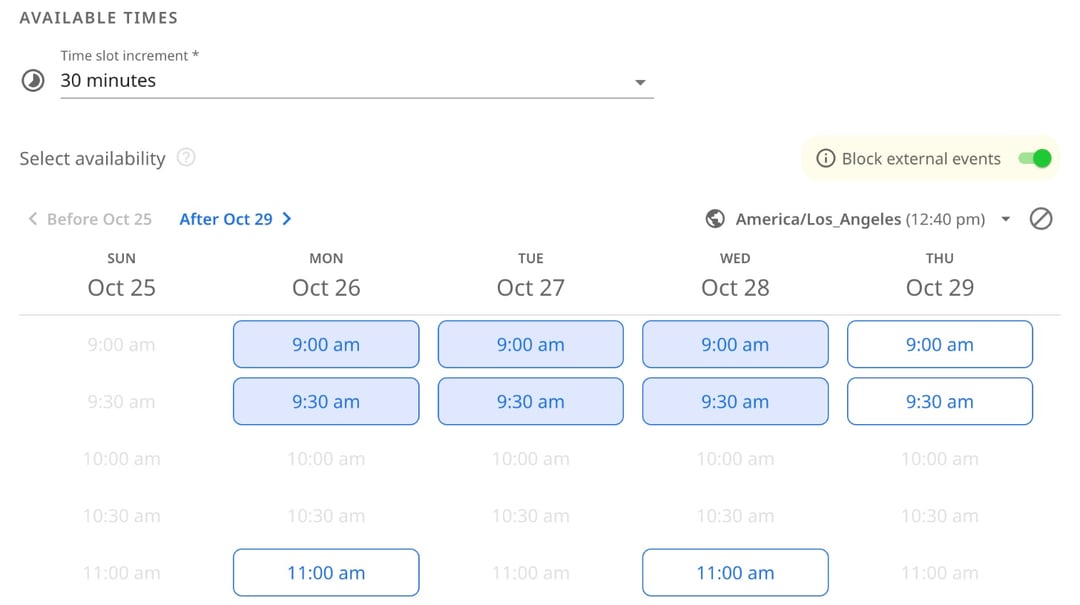
1. Pick the times you can meet
Choose a few days and times that suit you, right next to your calendar. Need answers by Friday? Set a voting deadline, and the poll closes on its own.
2. Share one link
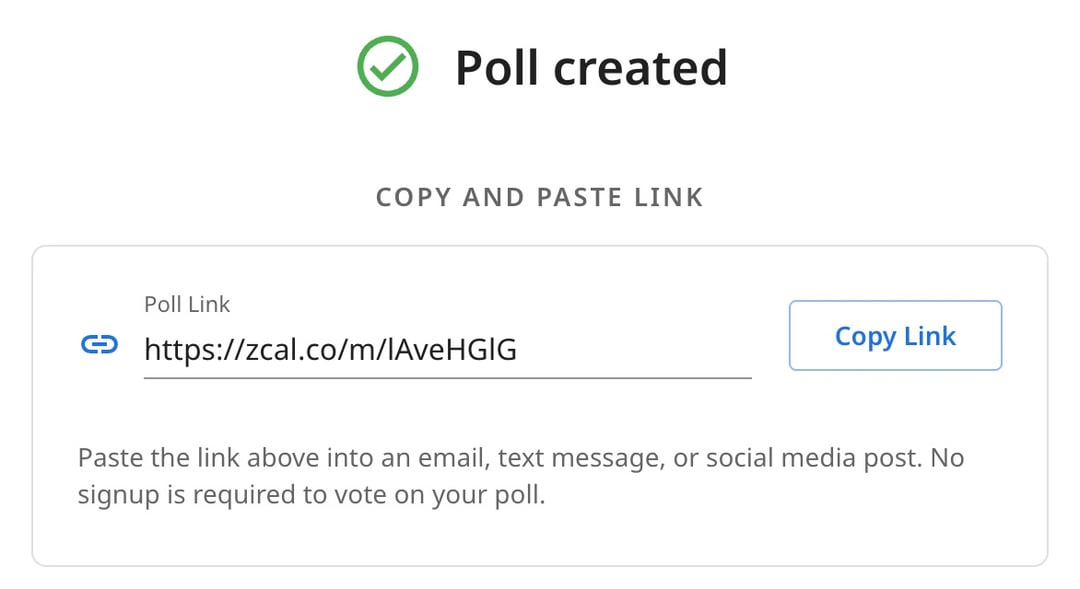
Copy the poll link and drop it into an email, a Slack channel, a group chat or a text. There's nothing for your group to install and no account to make.
3. Your group votes
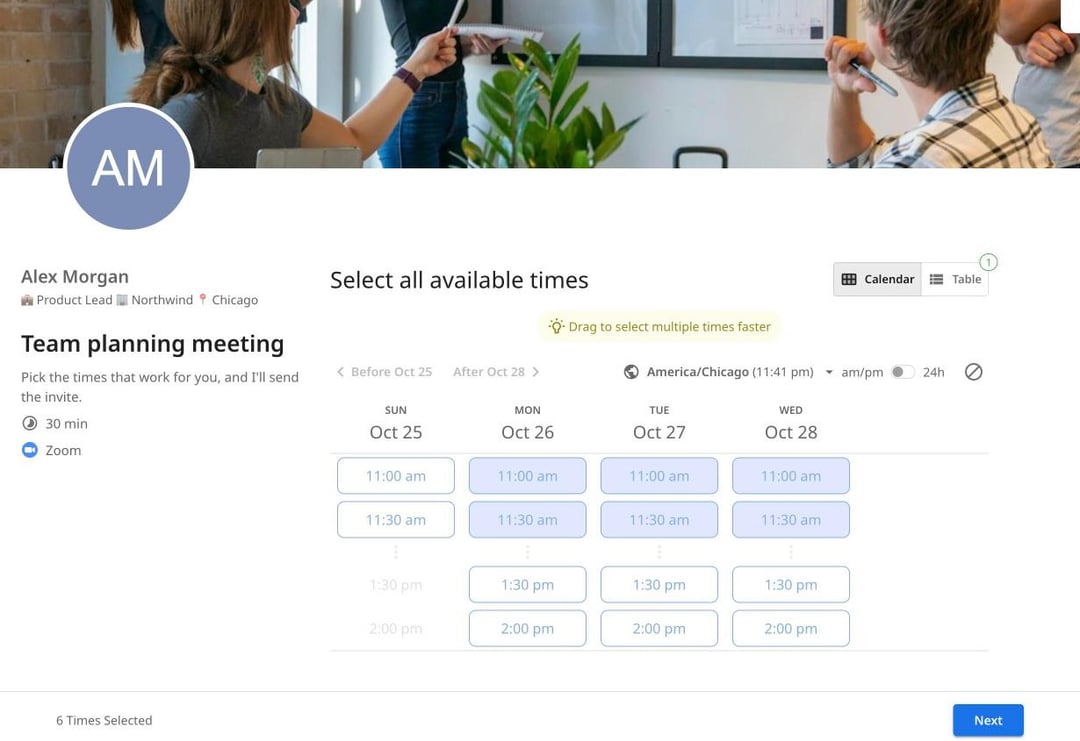
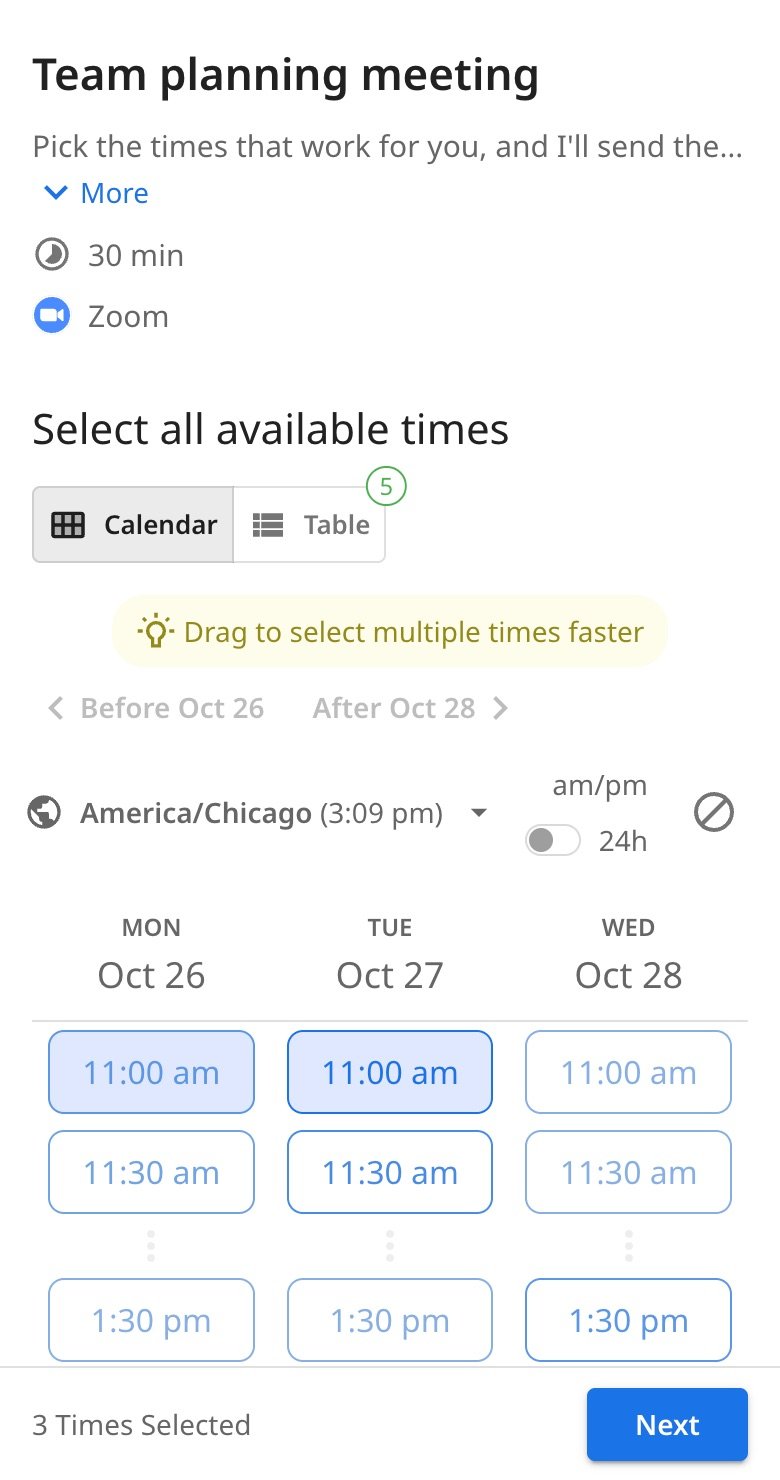
Voters tap every time that works, or drag across several at once, then add their name and email. Each person sees the times in their own time zone. You get an email as each vote comes in, so you always know who's still missing.
4. Pick the time, and zcal sends the invite
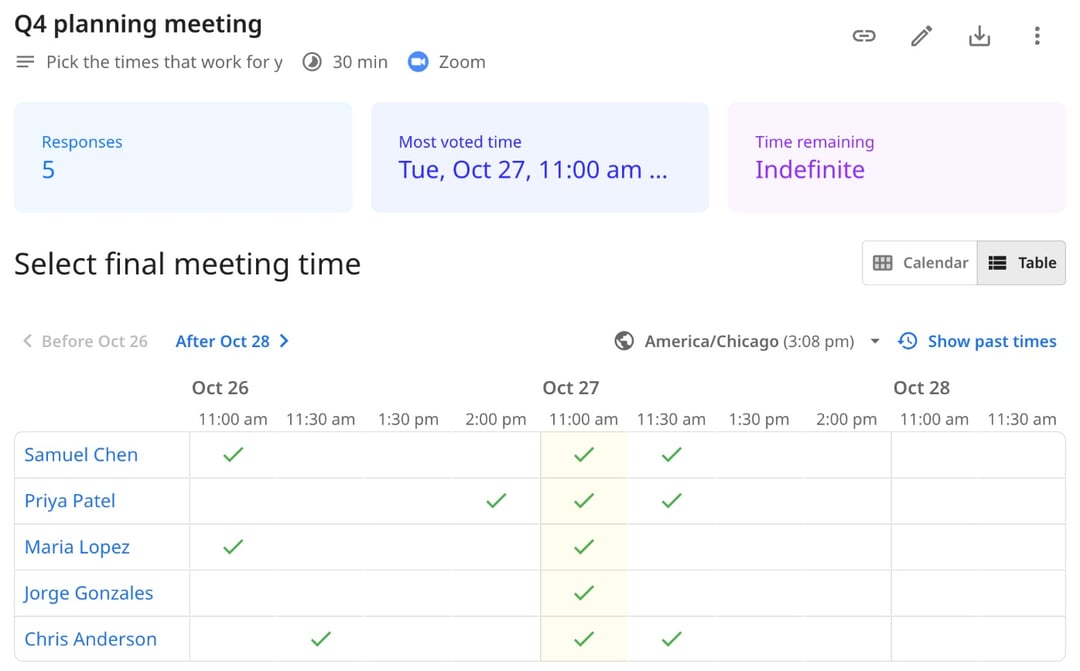
See every vote in one table, with the most popular time called out at the top. Pick the time, and zcal adds the meeting to your calendar and sends a calendar invite to everyone who voted, with your video link if you added one.
Meeting poll, availability poll or date poll
One zcal poll does all three. You decide how many options to give, and your group does the rest.
Meeting poll
You already have a few times in mind. Offer a shortlist of 3 to 6 slots, and let everyone vote for the ones they can make. It's the fastest way to lock in a team meeting, a client call or an interview panel.
Availability poll
You don't know yet when people are free. Offer a wider spread, such as every morning next week, and let each person mark all the times that work. The pattern shows up in the votes, and the best slot is easy to spot.
Date poll
For a dinner, a party or an offsite, the day matters more than the hour. Offer one time on each day you're thinking about, and let the group vote on the date. Some people call this a calendar poll.
zcal vs Doodle vs When2meet
| zcal Free | Doodle Free | When2meet | |
|---|---|---|---|
| Price | $0 | $0 (Pro is $11 per user per month) | $0 |
| Polls you can run at once | Unlimited | 1 | Unlimited |
| Ads | None | For you and your voters | 1 ad below each poll |
| Voters need an account | No | No | No |
| Voting deadline | Yes | No | No |
| Hide votes from other voters | Yes | No | No |
| Calendar invite sent when you pick the time | Yes, to every voter | No | No |
| Booking pages | Unlimited | 1 | No |
| Cover photo and welcome video | Yes | No | No |
Doodle and When2meet both handle the vote well. Doodle lets voters answer "If need be", and When2meet doesn't ask anyone to sign up, not even you (see how to use When2meet). But both stop at the grid. Once the votes are in, you still copy the winning time into your calendar, write the invite, add the video link and chase whoever missed it. On Doodle's free plan, your voters also see ads, and you can run only 1 poll at a time.
zcal finishes the job. Pick the time, and the invite goes out to everyone, for free. Coming from Doodle? See the full zcal vs Doodle comparison, or how zcal compares with When2meet.
Why groups pick zcal for their polls
The invite goes out for you
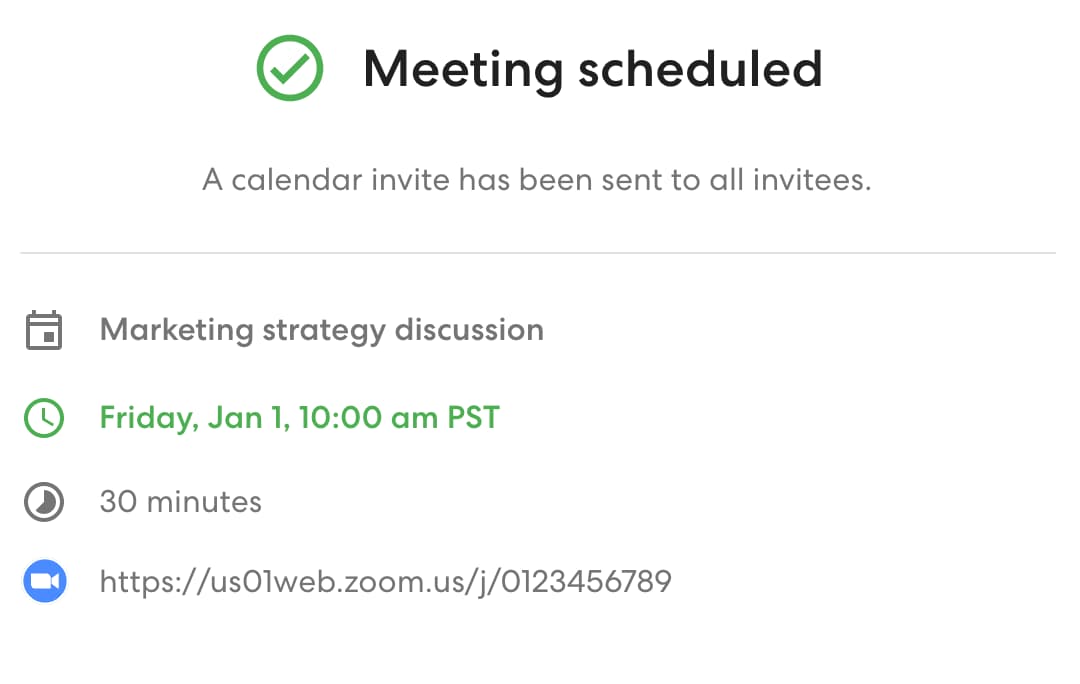
Most poll tools hand you a winning time and leave the rest to you. In zcal, picking the time is the last step: the meeting lands in your calendar, and every voter gets a calendar invite.
Your calendar stays in charge
Connect your Google, Outlook and Apple calendars, as many as you use. If a meeting lands in one of them after you send the poll, zcal takes that time off the poll, so nobody picks a slot you can no longer make.
Easy to vote on any phone
Most people open a poll link from a chat or a text. The voting page is built for small screens, with big buttons to tap and nothing to install.
Time zones, handled
Each voter sees your options in their own time zone, and you see the results in yours. For a meeting where the time zone must not change, lock the poll to your own.
No ads, no caps
Run as many polls as you need, with as many voters as you need. Nobody sees an ad: not you, and not your voters.
A poll that looks like it came from you
Add a cover photo, a welcome video and a short note, so voters know who's asking before they vote. A poll for clients or a board then feels personal, not like a bare grid.
You know who's still missing
zcal emails you each time someone votes, and again when voting closes. Make the votes public, so the group sees the trend, or private, so only you see them.
When to use a meeting poll
Team meetings
Finding an hour that works for six people across three teams shouldn't take a 40-message thread. Post one poll link in Slack, and the best time shows up by lunch.
Clubs, committees and boards
Volunteers have day jobs, so the board meeting has to fit around them. A poll with a voting deadline gets everyone's answer before the agenda goes out, and the invite lands in every calendar.
Classes and study groups
Teachers can poll a class for office hours or a review session, and students can plan a group project without a long group chat. Voters don't need an account, so nobody gets stuck at a sign-up page.
Family and friends
From a birthday dinner to a weekend away, a date poll settles "which day works?" with one link and no reply-all.
People in different time zones
When your group spans New York, London and Singapore, nobody should do time zone math. Everyone votes in their own time, and the invite shows the right time in each person's calendar.
Tips for a poll that gets answered fast
- Offer 3 to 6 options. Fewer choices mean faster answers. Use a wide spread only when you truly don't know when people are free.
- Set a deadline. A voting deadline gives everyone a reason to answer today, not next week.
- Say what the meeting is for. A clear name, a short note and the meeting length help people see which times really work.
- Add the video link up front. Put the Zoom, Google Meet or Teams link in the poll, and it goes into the final invite.
- Follow up once. zcal tells you who has voted, so you can nudge the last one or two people by name.
More than a poll
The same free zcal account covers the rest of your scheduling:
- Booking links. Share your open times for 1-on-1 meetings, and let people book in a click.
- Group events. Let several people book the same time slot, for a class, a webinar or office hours.
- Calendar sync. Connect every Google, Outlook and Apple calendar you use, so you're never double-booked.
- Video links. zcal adds a Zoom, Google Meet or Microsoft Teams link to every meeting.
Frequently asked questions
What is a meeting poll?
A meeting poll is a quick online vote on when to meet. You suggest a few times, share one link, and each person marks the times that work for them. The time that suits the most people wins. It's also called a scheduling poll or an availability poll.
Is zcal's meeting poll free?
Yes. Meeting polls are part of zcal's Free Forever plan, with no limit on polls or voters and no ads. The free plan also includes voting deadlines, calendar sync and video links. You only pay if you want team features, SMS reminders or your own branding.
Do participants need an account?
No. Voters open your link, pick the times that work and type their name and email. They don't sign up, log in or download an app.
Do I need an account to make a poll?
Yes, a free one. You can sign up with your Google or Microsoft account in a few clicks. The account is what lets zcal check your calendar and send the invites for you. Your voters never need one.
How many people can vote in one poll?
There's no set limit. Any number of people can vote on the same poll, and you see every vote in one table.
Does a zcal poll work across time zones?
Yes. Each voter sees the times in their own time zone, taken from their device, and can change it. You can also lock the poll to your time zone, for example for a meeting in person.
Does Google Calendar have a meeting poll?
No. Google Calendar has no built-in poll where a group votes on times. Its appointment schedules are booking pages: the first person to pick a slot gets it. To poll a group, connect Google Calendar to zcal and make a poll. The final meeting goes straight into your Google Calendar.
Can I make a scheduling poll in Outlook?
Yes. Outlook for Microsoft 365 has its own Scheduling Poll, and our guide shows how to use it. zcal works with Outlook too: connect your Outlook or Microsoft 365 calendar, and the final meeting lands there, with an invite for every voter, whatever calendar they use.
What happens after everyone votes?
You pick the final time on the poll's results page. zcal then adds the meeting to your calendar and sends a calendar invite to every voter. If plans change, you can reschedule the meeting later.
