
Free sign-up sheet with time slots
A free sign-up sheet where people claim their own time slot online. Full slots close on their own, and everyone gets a reminder.
Create a free sign-up sheet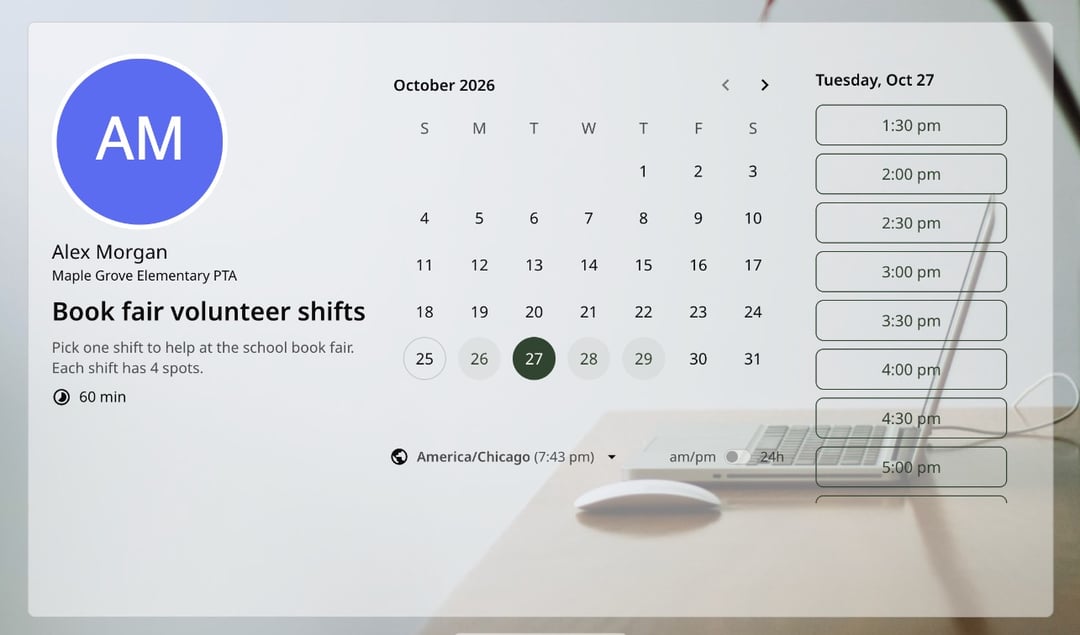
Trusted by leading brands, from fast-growing startups to large enterprises.








zcal is a free scheduling app, and its group links work as an online sign-up sheet for time slots. You set the slots and how many spots each one has, share one link, and people sign up for the slot they want. Each person gets a calendar invite and a reminder, and you see every name in one list. Prefer paper? Download the free printable sign-up sheet below.
Table of contents
How it works
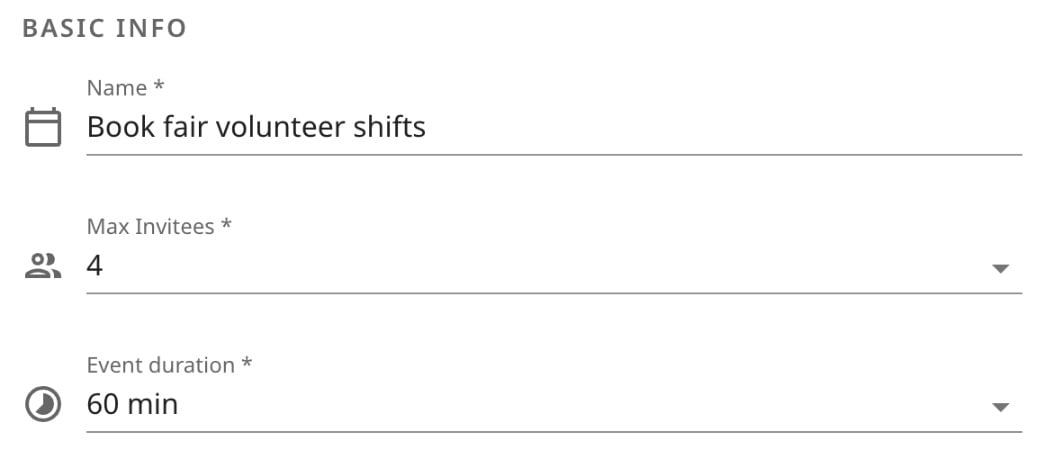
1. Set your time slots and spots
Choose how long each slot is and how many people can sign up for it, such as 4 volunteers for each 1-hour shift. Then pick the days and times the slots run.
2. Share one link
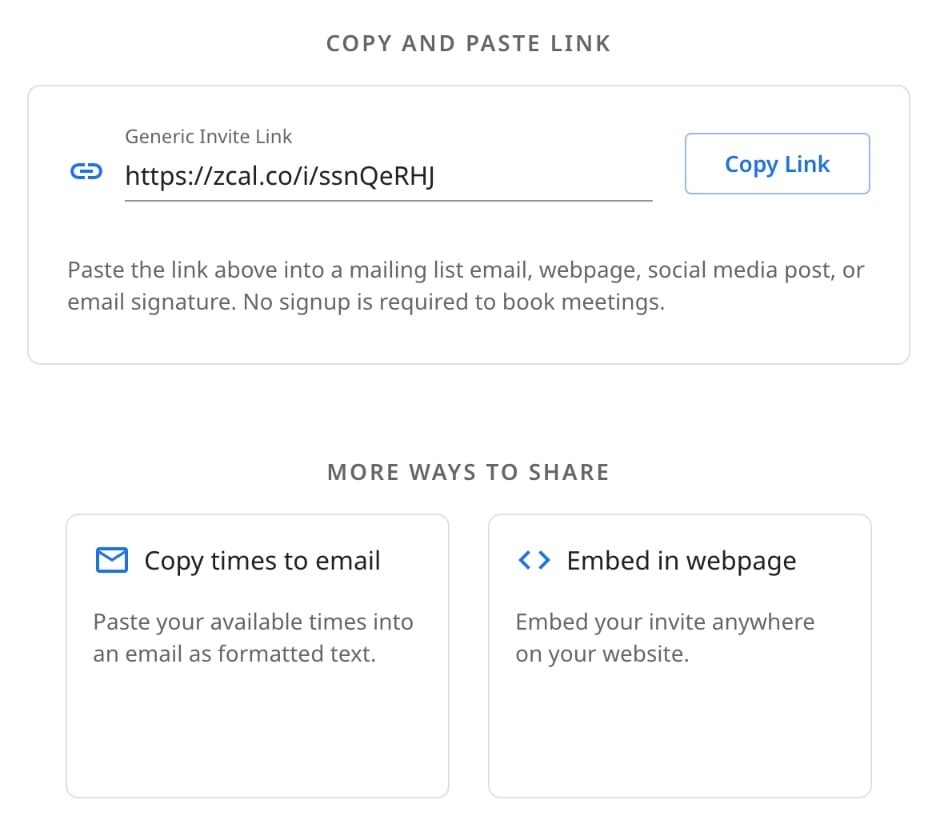
Send the link by email, text or your newsletter, or embed it on your website. One link holds every slot.
3. People sign up for a slot
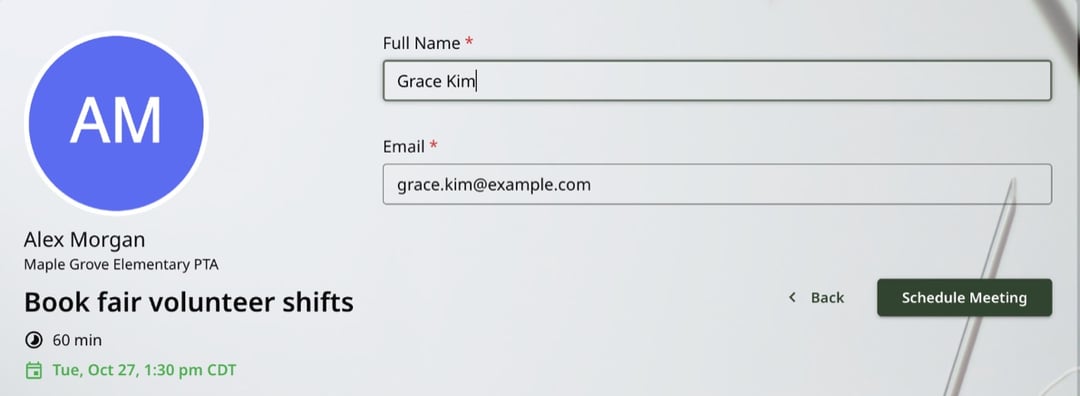
Each person picks a slot and types their name and email. There's no account to make and no app to download. When a slot is full, it drops off the page, so nobody is overbooked.
4. Everyone gets a reminder
Each person gets a calendar invite for their slot and an email reminder before it starts. You see every sign-up in your zcal events, and you can download the list as a CSV file.
Free printable sign-up sheet
For a clipboard at the front desk or a sheet on the classroom door, paper still works. Our free sign-up sheet is a one-page PDF with 18 lines for a time slot, a name, a phone number and an email.
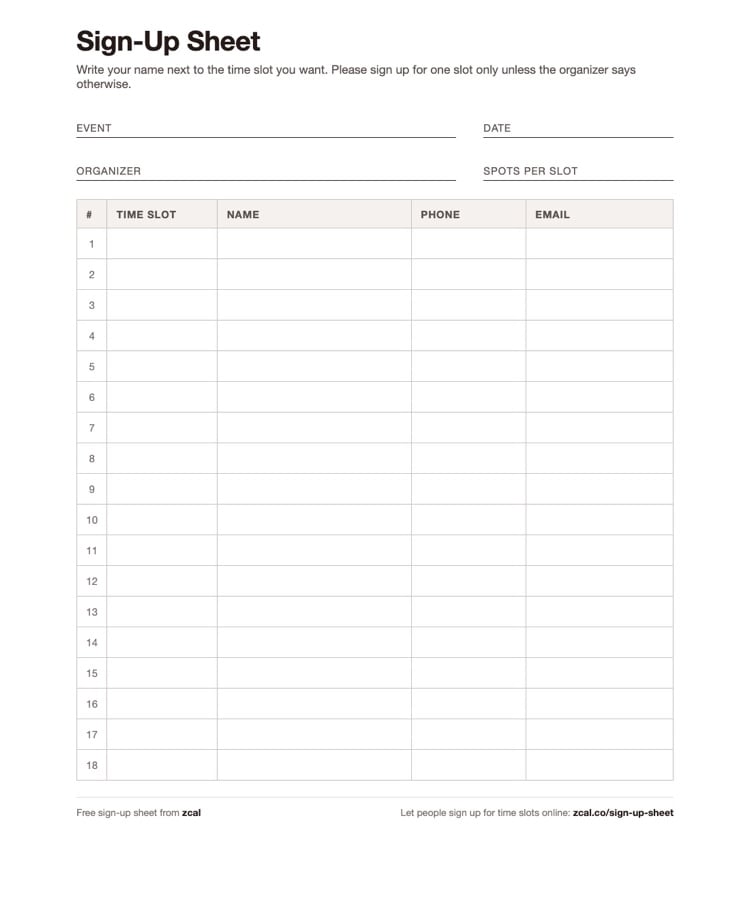
Download the free sign-up sheet (PDF)
Write the event, the date and the number of spots for each slot at the top. Then fill in the time slots, and let people add their names.
Online sign-up sheet or paper?
Paper is fine for one afternoon in one room. Once people sign up from home, or you need to remind them, an online sheet saves you the follow-up.
| Paper sheet | Google Sheets or Forms | zcal | |
|---|---|---|---|
| Cost | Free | Free | Free |
| Where people sign up | In person | From a link | From a link, on any phone |
| Full slots | You cross them out | Stay open unless you check | Close on their own |
| Calendar invite | No | No | Yes, for each person |
| Reminder before the slot | You call or email | You email | Sent for you |
| Change of plans | Ask the organizer | Edit the sheet | Reschedule or cancel from the invite |
What you can use it for
Volunteer shifts
Book fairs, food drives, fun runs and bake sales. Set the shifts and the number of helpers for each, and stop chasing people the week before.
Parent-teacher conferences
Give each family a 15-minute slot with one spot, and let parents pick a time from their phone. Each one gets a reminder the day before.
Office hours and tutoring
Open slots for students to sign up for help. One spot per slot for 1-on-1 help, or several for a small study group. Private tutors can also take paid lessons from a tutoring booking link.
Classes and workshops
Set the number of seats for each session. People book their own seat, and the session closes when it's full. See class scheduling with zcal.
Interviews and auditions
Let candidates or performers pick their own slot, and get every name, email and time in one list.
What the people who sign up see
People see your name, the event and a calendar of the slots that still have room, in their own time zone. They pick one, type their name and email, and they're done. The page doesn't show who else signed up or how many spots are left, so each sign-up stays private.
If plans change, they reschedule or cancel from their calendar invite, and their spot opens up for someone else.
Is a zcal sign-up sheet right for you?
zcal is built for sign-ups by time: shifts, sessions, slots and classes. If you need a list of things to bring, such as dishes for a potluck, a list tool fits better. For anything with a time on it, zcal handles the reminders, the invites and the full slots for you.
Tips for a sign-up sheet that fills up
- Share it early. A week or two ahead gives people time to plan, and the best slots go first.
- Say what each slot involves. "Set up tables and greet families" gets more takers than "Helper".
- Ask what you need to know. Add a question, such as a t-shirt size or a phone number, right on the sign-up form.
- Send the link twice. Once when sign-ups open, and once a few days before the deadline for the slots that are still open.
More ways to schedule a group
- Group scheduling. Polls, group events and team links, side by side.
- Availability forms. Ask everyone when they're free, and see it in one table.
- Meeting polls. Let a group vote on the best time for one meeting.
- Booking pages. Share your open times for 1-on-1 meetings.
Frequently asked questions
What is a sign-up sheet?
A sign-up sheet is a list where people put their name down for a time slot, a shift or a task. Organizers use them for volunteer shifts, parent-teacher conferences, office hours and classes. It can be a printed sheet on a clipboard or an online sign-up sheet that people fill in from a link.
How do I create a sign-up sheet?
Online, make a group link in zcal: set the length of each slot, how many people each slot takes and the days it runs, then share the link. On paper, download our free printable sign-up sheet, write in your time slots and pass it around.
Is there a free online sign-up sheet with time slots?
Yes. zcal's free plan lets you make sign-up sheets with time slots, with up to 5 people in each slot, no ads and no account for the people who sign up. Each person gets a calendar invite and a reminder. Pro has no limit on spots.
Can people see who else signed up?
No. Each sign-up is private, so people only see the slots that still have room. You, the organizer, see every name and email in your zcal events, and you can download the list as a CSV file.
How many people can sign up for each slot?
You choose. On the free plan, each slot takes up to 5 people, which suits most shifts and small classes. Pro and Business have no limit.
Can I make a sign-up sheet in Google Forms or Google Sheets?
You can, but neither one closes a slot when it's full, sends calendar invites or reminds people before their slot. You end up checking the sheet by hand. A zcal sign-up sheet does all three for you.
Do people need an account to sign up?
No. They open your link, pick a slot and type their name and email. They don't sign up for zcal, log in or download an app.
