
How to Create a Doodle Poll: Step-by-Step Guide (2026)
Published October 24, 2026
At a glance
To create a Doodle poll, sign in at doodle.com, click "Create", then "Group Poll". Add a title, pick a meeting length, click the times you can meet on the calendar and click "Continue". Then copy the link, send it to your group, and pick the winning time with "Book it" once everyone has voted.
Doodle is the name most people think of for group polls, and making one takes a few minutes. But Doodle's free plan has a limit that only shows up at the very last click. We built a poll step by step in a free Doodle account in October 2026. Here's each screen, how voting works, how to book the final time, and what to do when Doodle asks you to upgrade.
Table of contents
What is a Doodle poll?
A Doodle poll, which Doodle calls a Group Poll, helps a group agree on a meeting time. You suggest a few times. Everyone opens your link and marks the ones that work for them. The time with the most votes wins, and you book it.
Doodle has other kinds of "Doodles" too: a Sign-up Sheet, a 1:1 and a Booking Page. This guide covers the group poll, which is what most people mean by "a Doodle".
How to create a Doodle poll
You need a free Doodle account to create a poll. Your voters don't.
1. Click "Create", then "Group Poll"
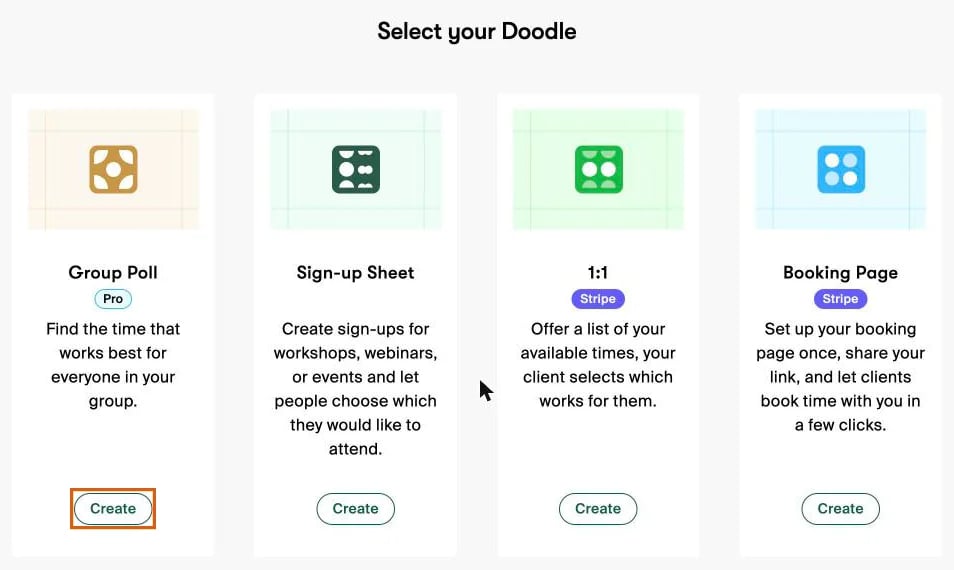
Sign in at doodle.com and click Create at the top right. Doodle shows "Select your Doodle" with 4 options. Click Create under Group Poll.
2. Add a title and the details
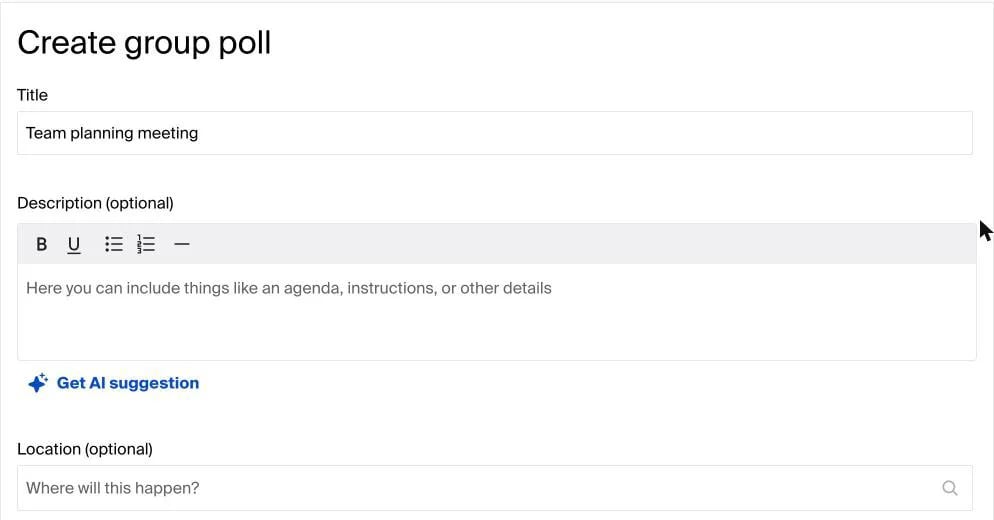
Type a Title, such as "Team planning meeting". Then add an optional Description (an agenda or instructions), a Location, and turn on Video conferencing if you meet online. Doodle can also write the description for you with "Get AI suggestion".
3. Add your times
Under Add your times, pick a Duration: 15, 30, 60, 90 or 120 minutes, all day, or a custom length. Then click a slot on the Week calendar to add it as an option. Each one appears as a green block, and you can switch to Month to plan further ahead. Check the time zone above the calendar before you go on.
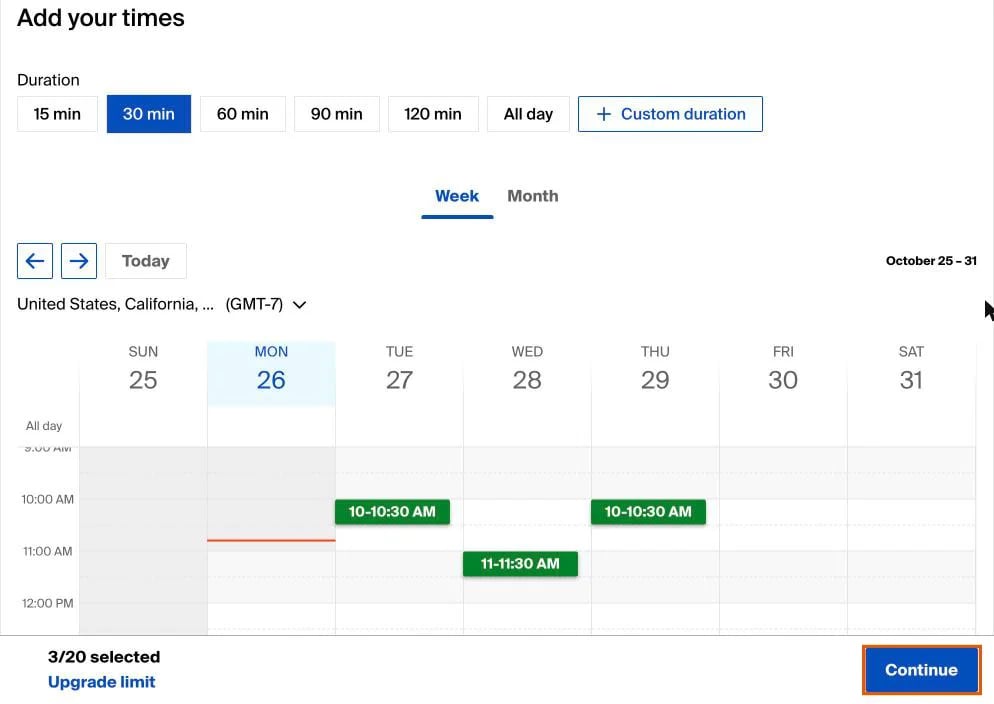
Watch the counter at the bottom. On the free plan, it reads "3/20 selected", because a free poll can offer at most 20 times. A link next to it says "Upgrade limit".
4. Skip the Pro settings (or upgrade)
Below the calendar, "Customize your poll" lists the extras: your logo and colors, automatic reminders, a deadline, a hidden participant list, emailing invites from Doodle, and a limit on how many people can pick each time. Doodle says these "special settings" need a paid plan, so free users can leave them.
5. Click "Continue" and share the link
Click Continue to create the poll. Then click Copy link and paste it into an email, a chat or a text. Sending invites straight from Doodle by email is a paid feature, so on the free plan you share the link yourself.
The catch: Doodle's free plan allows 1 poll
Here's where our test went wrong. We already had one group poll in the account. We filled in the whole form, picked our times and clicked Continue, and only then did Doodle tell us:
"You've hit the maximum number of free polls on your free plan. Upgrade to publish it and get unlimited product usage."
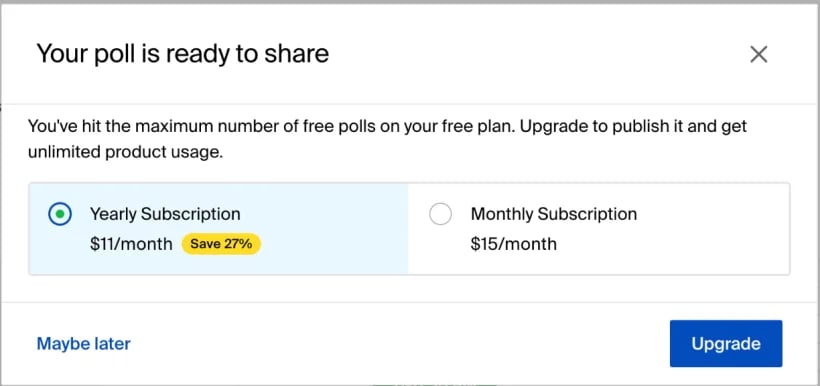
Doodle's help center confirms it: "Free users can create only one group poll per account." To make a second poll, you either delete or reuse your first one, or pay $11 a month billed yearly ($15 billed monthly). If you need polls often, check this before you build one.
How people vote in a Doodle poll
Your group opens the link and clicks Start voting. For each time, they click once for Yes, twice for If need be, or leave it empty. Then they click Continue, type their name and email, and send their vote. They don't need a Doodle account.
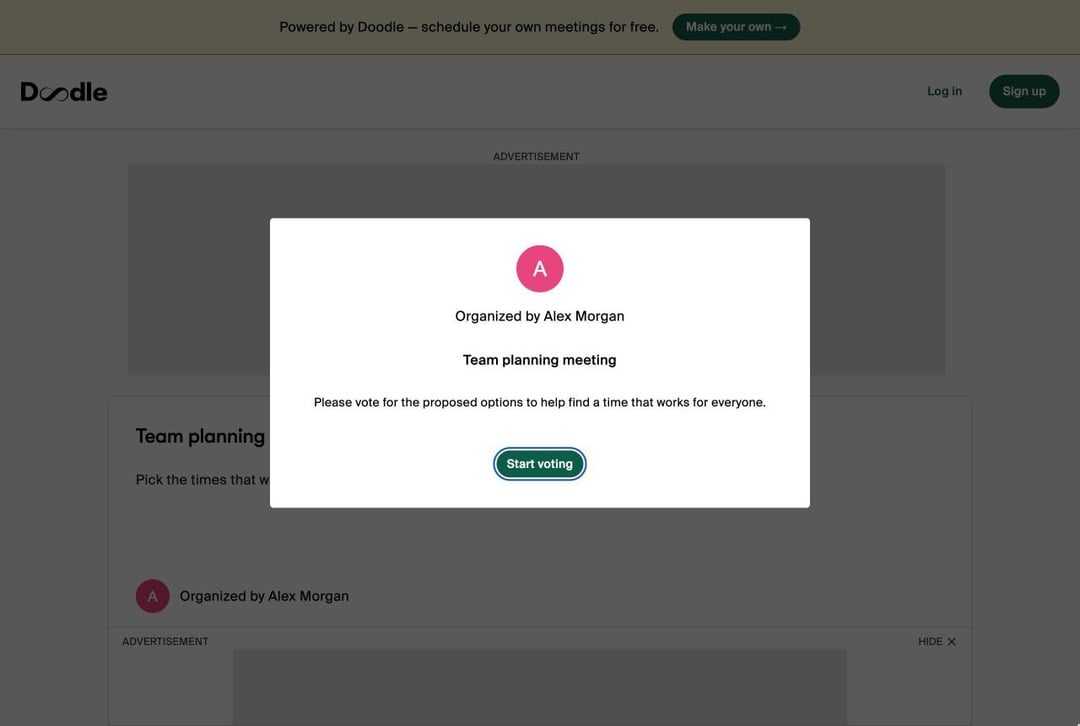
On the free plan, your voters see ads around the poll, as the screenshot shows. Doodle Pro removes them.
How to pick the final time
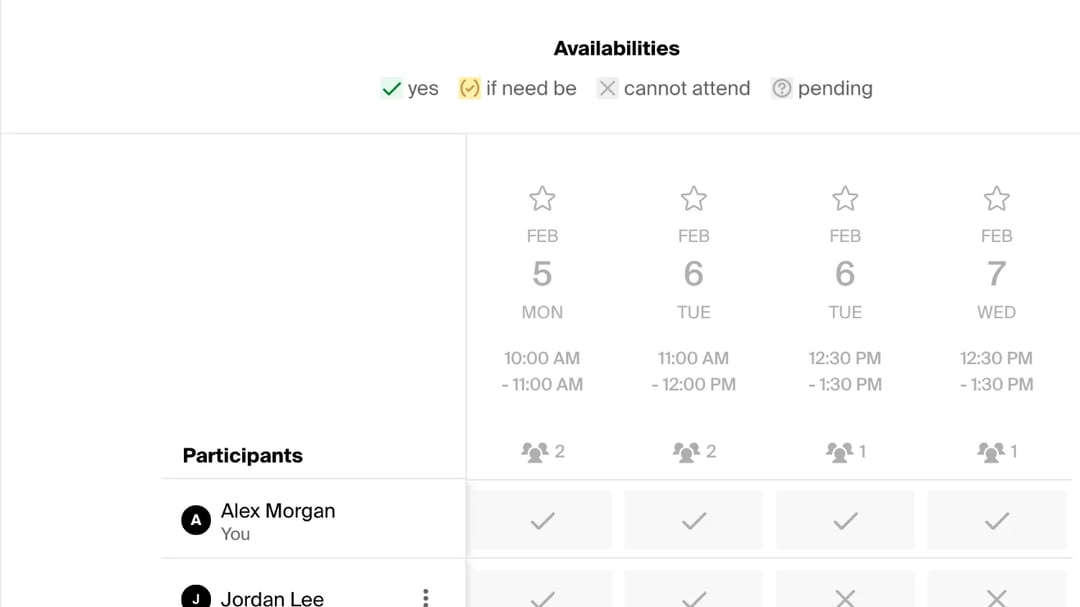
As votes come in, your poll page shows a grid. Each time has a column, each person has a row, and the count above each column shows how many people can make it. Doodle's legend reads "yes", "if need be", "cannot attend" and "pending".
When enough people have voted, select the best time and click Book it. Doodle then confirms the final time. Pick a time that hasn't passed: when we tried an old one, Doodle said "Can't book a meeting from the past".
Our take on Doodle polls
In our test: making a Doodle poll is quick, and the voting is easy for your group. "Yes" and "If need be" is a nice touch that most poll tools don't have. But the free plan feels like it's built to sell you Pro. There's a Pro badge or an upgrade link on nearly every screen, your voters see ads, and the 1-poll limit only appeared after we'd built the whole poll, which was a nasty surprise. If you run polls more than once in a while, the free plan won't last.
What we liked:
- Quick to set up, with a clear week calendar for picking times.
- "If need be" votes, so people can say a time is possible but not ideal.
- Voters don't need an account.
Where it falls short:
- 1 group poll per account on the free plan, and you find out at the end.
- Ads for you and your voters.
- Up to 20 times per poll on the free plan.
- No deadline or automatic reminders unless you pay.
A free Doodle alternative with no poll limit: zcal
Need more than one poll? Run as many as you like in zcal, a free scheduling app whose meeting polls have no limit, no ads and no upgrade wall at the last click:
- Pick the times you can meet, right next to your calendar, and set a voting deadline if you want one.
- Share one link. Your group taps the times that work and adds a name and email, with no account.
- Pick the final time. zcal adds the meeting to your calendar and sends the invite to everyone who voted, with a Zoom, Google Meet or Microsoft Teams link.
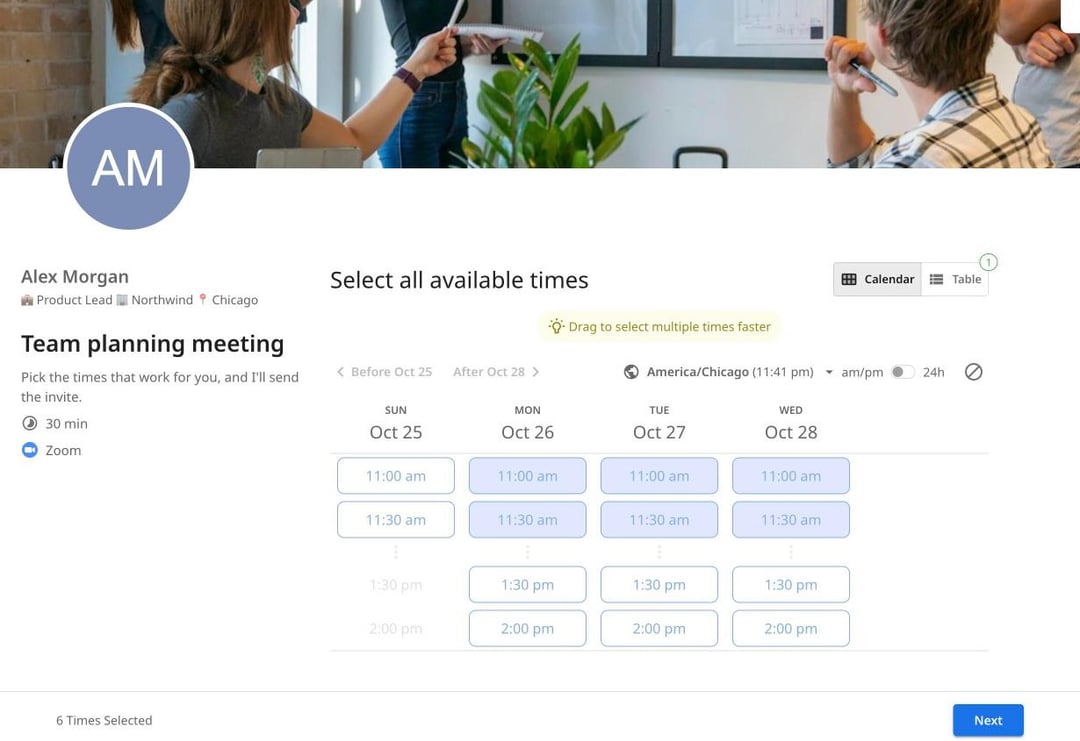
Unlimited polls, voting deadlines and calendar invites are all on zcal's free plan. Create a free poll, or see the full zcal vs Doodle comparison.
Frequently asked questions
Can I create a Doodle poll for free?
Is Doodle still free?
Do people need a Doodle account to vote?
How do I create a Doodle poll in Outlook?
Can I create a Doodle poll in Google Calendar?
How do I see who has voted on my Doodle poll?
Related Articles
There's a better way to schedule meetings
Join zcal freeWant unlimited booking links, polls and reminders for free?
Try zcal free